Elevate Your Listening: The Definitive Guide to Android TTS Apps for Power Users


Modern life demands efficiency, and for avid readers, students, and busy professionals, the relentless pursuit of knowledge often clashes with the reality of screen fatigue. The solution? A paradigm shift from traditional reading to the immersive world of AI-powered audiobooks and text-to-speech (TTS) applications. No longer a niche utility, advanced TTS reader Android apps are transforming how we consume content, turning commutes, workouts, and chores into productive learning opportunities. But with a myriad of options, which app TTS reader for Android APK truly delivers a premium, intelligent listening experience?
Voxify: The Apex of Android Text-to-Speech Innovation
In a crowded market, one application stands out for its unparalleled feature set, sophisticated AI, and user-centric design: Voxify Read Aloud Books & TTS. Engineered for power users across the USA, UK, and Australia, Voxify transcends basic text-to-speech, offering a comprehensive platform for transforming digital text into engaging audio. If you’re seeking the best TTS app for books and beyond, your search ends here.
Ultra-Natural AI Voices: Beyond Robotic Monotones
The hallmark of a truly premium TTS experience lies in its voices. Voxify leverages cutting-edge Ultra-Natural AI Voices (Neural TTS) that are virtually indistinguishable from human narration. Forget the choppy, robotic delivery of yesteryear; Voxify’s voices deliver nuanced intonation, proper pacing, and emotional depth, making extended listening sessions not just tolerable, but genuinely enjoyable.
For dynamic content like novels and scripts, Voxify introduces Smart Voice Changing for dialogues. This ingenious feature automatically assigns different voices to distinguish between characters, bringing stories to life and dramatically improving comprehension and engagement.
All-in-One Format Support: Your Entire Library, Audified
What truly sets Voxify apart is its robust compatibility. It’s not just a PDF reader; it’s a universal audio conduit for your digital library. Voxify offers extensive multi-format support, seamlessly handling:
- PDF documents for academic papers and reports.
- EPUB and MOBI files for your favorite ebooks.
- TXT files for notes and plain text.
- CBZ for comic book enthusiasts looking for a new way to engage.
Beyond local files, the Integrated Web Reader allows you to input URLs and listen to articles, blog posts, and online content directly within the app, making it an indispensable tool for research and staying informed.
Even more remarkably, Voxify provides Image Reading Support (OCR/Auto-scroll). Snap a picture of a physical book page or a document, and Voxify’s optical character recognition will convert it into listenable text, complete with intelligent auto-scrolling for a hands-free experience.
Further refining your audio journey, Voxify includes a Sleep Timer for winding down with an audiobook and advanced Audio Customization (Pitch/Equalizer) to fine-tune the listening profile to your personal preference.
🚀 DOWNLOAD VOXIFY ON GOOGLE PLAY
Deep Dive: Voxify's Edge in Diverse Scenarios
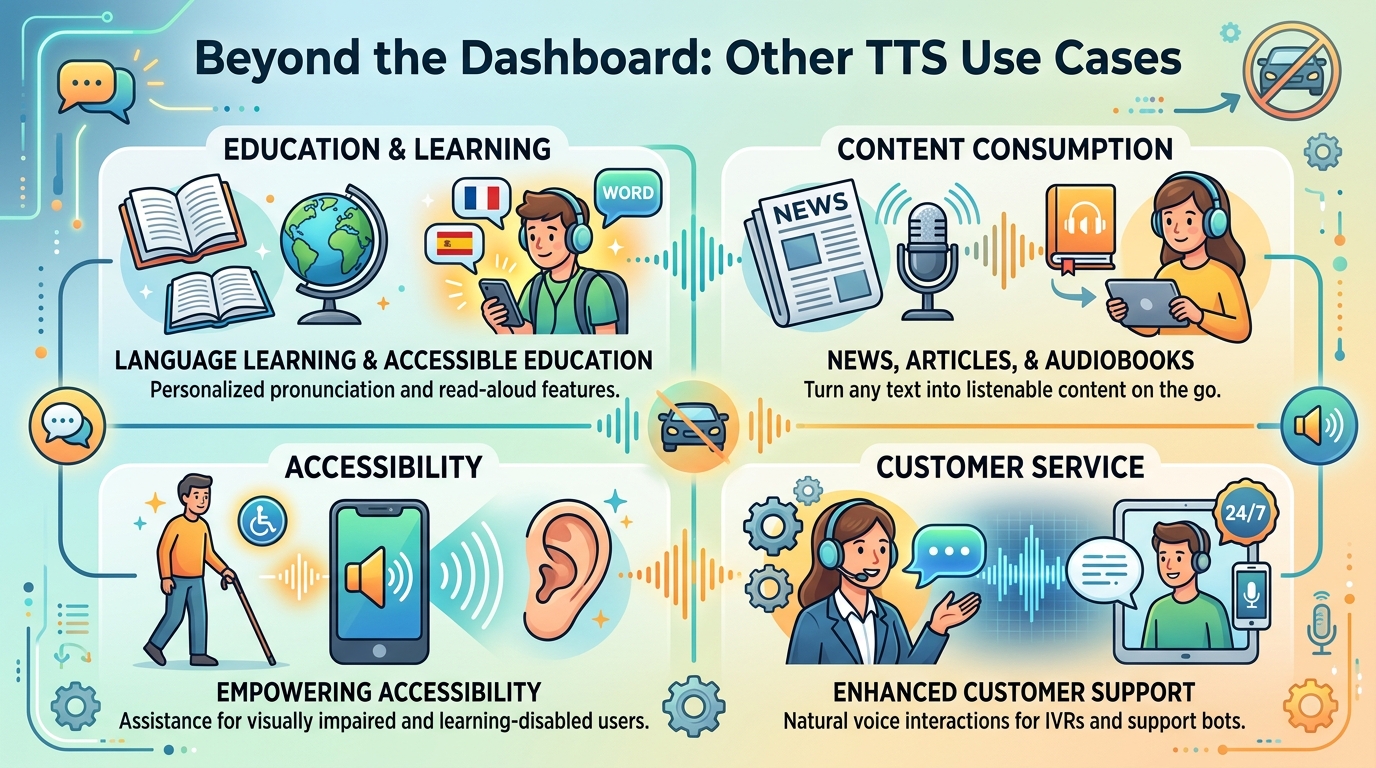
While many users initially seek a basic TTS reader Android solution, power users quickly discover needs beyond simple text conversion. Voxify consistently proves its superiority across various advanced use cases.
TTS for Android Auto: Seamless Integration for On-the-Go Listening
For professionals and commuters, integrating content consumption with vehicle infotainment is crucial. While Android Auto itself offers basic media playback, a dedicated, feature-rich TTS for Android Auto experience requires a robust app. Voxify, with its intuitive interface and high-quality audio output, seamlessly extends your reading experience to your car. Imagine listening to complex reports or an engaging novel, powered by natural AI voices, all controlled safely through your car’s display. Voxify ensures your multi-format library is always accessible, enhancing productivity and entertainment during your drives.
Beyond Basic APIs: Why Power Users Choose Polished Apps
Developers often search for “TTS Android API code” to integrate basic text-to-speech into their own applications. However, for the end-user, relying on raw APIs offers a rudimentary experience. Power users prioritize a complete, optimized solution. Voxify isn’t just an API wrapper; it’s a meticulously crafted application that integrates multiple advanced technologies – including OCR, sophisticated voice models, and a robust file management system – into a single, polished package. It provides the intelligent features and user experience that a raw API simply cannot deliver, saving users the time and effort of building their own complex solutions.
Browser Extensions vs. Dedicated Mobile Powerhouses
Desktop browser extensions for TTS are common for web content. While useful for quick reads at your desk, they fall short for mobile-first consumption or managing diverse document types. A dedicated app TTS reader for Android APK like Voxify offers unparalleled portability and functionality. Its integrated web reader negates the need for a separate browser extension on mobile, providing a superior, distraction-free listening environment. Furthermore, Voxify’s ability to handle local files (PDF, EPUB, etc.) and even image-based text far surpasses the limited scope of most browser-based solutions. For truly mobile productivity and comprehensive content access, Voxify is the clear winner.
Expert Tips for Optimizing Your TTS Experience
To truly harness the power of your tts reader android app, consider these expert recommendations:
- Adjust Voice Speed for Productivity: While natural voices are engaging, experiment with slightly increased playback speeds (e.g., 1.25x or 1.5x) for non-fiction content or technical documents. Most people can comprehend speech at faster rates than they read, boosting your information intake without sacrificing understanding. Voxify’s precise speed controls make this easy.
- Leverage the Equalizer: If you’re listening in varying environments (e.g., noisy commute vs. quiet home), use Voxify’s built-in equalizer to boost clarity or reduce harshness. A slight bass boost can make voices richer, while enhancing mid-range frequencies can improve intelligibility in noisy settings.
- Organize Your Digital Library: Before importing into Voxify, ensure your PDFs, EPUBs, and other documents are well-named and categorized. This makes finding and listening to your content effortless within the app.
- Experiment with Voices: Don’t stick to the default. Voxify offers a range of natural AI voices. Try different accents and tones to find the one that resonates best with you for different types of content. A calm voice for a novel, a more energetic one for news articles.
- Utilize the Sleep Timer: For winding down, set the sleep timer to gradually fade out the audio. This prevents your device from playing all night and helps you drift off without interruption.
By integrating a sophisticated app TTS reader for Android APK like Voxify into your daily routine and applying these expert tips, you’re not just reading; you’re transforming your entire content consumption experience into an intelligent, efficient, and deeply engaging journey.