Master Your Content: The Definitive Guide to Android TTS for Power Users in 2026


In an era defined by information overload and constant demands on our attention, the traditional act of reading can often feel like a luxury. Professionals, students, and avid learners alike frequently grapple with “reading fatigue,” struggling to consume vast amounts of text while juggling packed schedules. This challenge has catalyzed a significant shift: the rise of AI-powered audio consumption, transforming static text into dynamic, engaging audiobooks and spoken content.
Android’s Text-to-Speech (TTS) capabilities have evolved dramatically, moving beyond robotic voices to offer incredibly natural, human-like narration. For power users seeking to reclaim their time, enhance comprehension, and multitask effectively, a robust tts reader android application is no longer a convenience—it’s an essential productivity tool.
Featured Spotlight: Voxify Read Aloud Books & TTS – The Premier Audio Reading Experience
While many TTS apps exist, one stands out for its sophisticated features, unparalleled voice quality, and commitment to the serious reader: Voxify Read Aloud Books & TTS. Designed from the ground up for power users in the USA, UK, and Australia, Voxify transforms your Android device into a personal, intelligent audiobook library, making it the best tts app for books on the market.
Voxify isn’t just another text-to-speech app; it’s a comprehensive reading ecosystem built for those who demand more from their digital content.
Ultra-Natural AI Voices: A New Standard for Listening
The days of monotone, synthesized voices are over. Voxify leverages cutting-edge Neural TTS technology to deliver ultra-natural AI voices that are virtually indistinguishable from human narration. This isn’t just about clarity; it’s about immersion. The subtle inflections, natural pacing, and emotional nuance provided by Voxify’s voices make long-form content genuinely enjoyable.
For dialogues within novels or academic papers, Voxify’s unique Smart Voice Changing for dialogues feature assigns different voices to different speakers, creating a genuinely dynamic and engaging listening experience that keeps you oriented and absorbed in the narrative.
All-in-One Format Support & Integrated Web Reader
Power users consume content from diverse sources. Voxify eliminates the hassle of converting files or switching between multiple applications with its extensive multi-format support. Whether your content is in:
- EPUB
- TXT
- MOBI
- CBZ (Comic Book Archive)
Voxify handles it all seamlessly. This comprehensive compatibility means your entire digital library can be instantly transformed into audio.
Beyond local files, Voxify includes an Integrated Web Reader. This powerful feature allows you to input any URL and have web articles, blog posts, and online documents read aloud with the same high-quality voices. No more eye strain from endless scrolling; simply listen and absorb.
For those encountering text within images, Voxify’s Image Reading Support (OCR/Auto-scroll) is a game-changer. It intelligently extracts text from images and reads it aloud, even providing auto-scrolling capabilities for multi-page image documents.
Unmatched Audio Customization & Productivity Features
Voxify understands that personal preference and productivity needs vary. Its robust Audio Customization (Pitch/Equalizer) tools allow you to fine-tune the listening experience. Adjust pitch for different voice preferences or use the equalizer to enhance clarity in various environments.
Further enhancing its productivity credentials, Voxify includes a Sleep Timer, perfect for winding down with an audiobook without draining your battery.
<a href="
“>🚀 DOWNLOAD VOXIFY ON GOOGLE PLAYDeep Dive: Beyond Basic TTS – Addressing Power User Needs
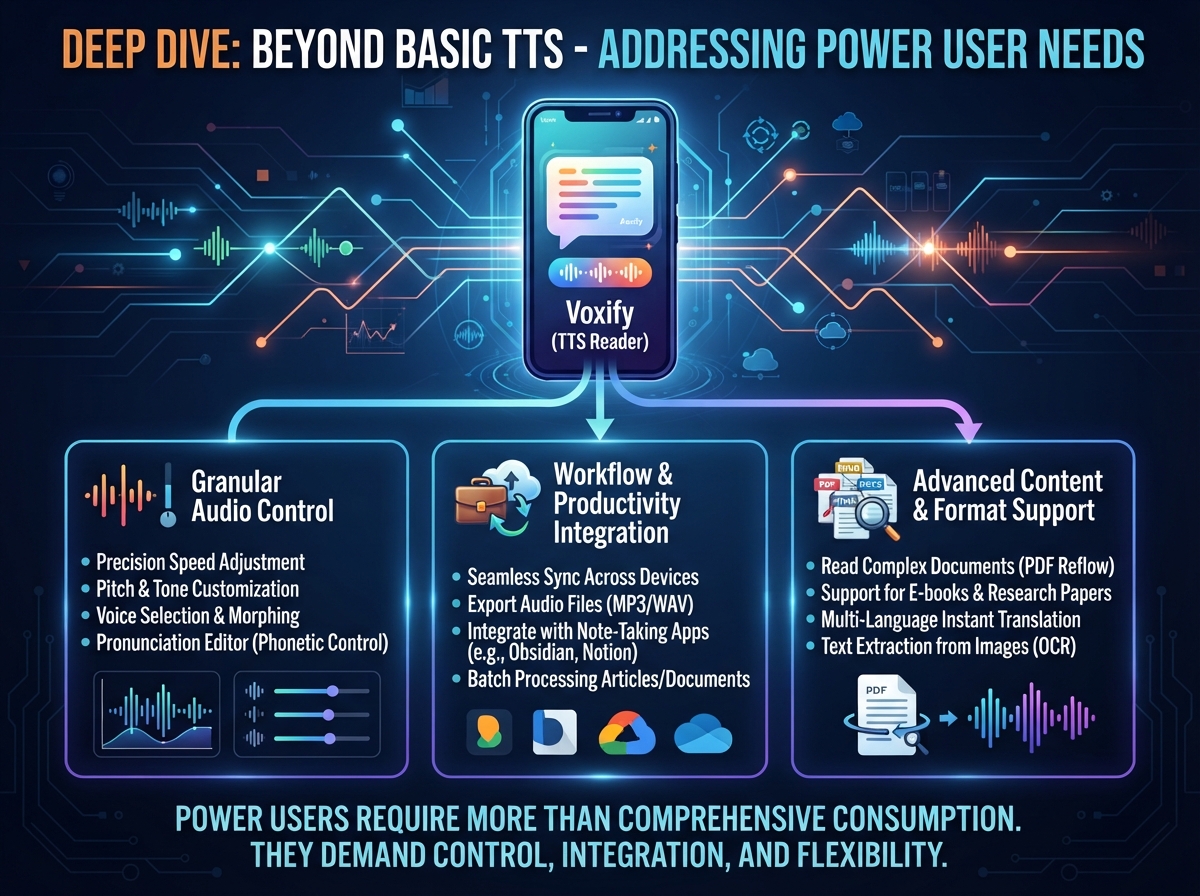
While Voxify excels as a dedicated tts reader android app for comprehensive content consumption, power users often have other specific TTS requirements.
TTS for Android Auto and On-the-Go Productivity
For commuters and road warriors, tts for android auto is a critical feature. While most Android Auto systems offer basic TTS for messages, a dedicated app like Voxify allows you to pre-load and listen to long-form content seamlessly. You can queue up your books, articles, or documents in Voxify before getting into your car, ensuring a rich, distraction-free listening experience that transcends simple navigation prompts. Voxify’s superior voice quality makes even complex material understandable and engaging during your commute.
Developer Insights: Android TTS API & Browser Extensions
Developers often inquire about the underlying Android TTS API. While the native API allows for basic text-to-speech integration into apps, achieving the natural ai voice android quality and multi-format support of Voxify requires significant, specialized development. For end-users, relying on a polished application like Voxify is far more efficient than attempting to leverage raw API capabilities for complex reading tasks.
Similarly, browser extensions offer TTS functionality for web pages. However, these are often limited to the browser environment, lack advanced features like multi-format file support, smart voice changing, or robust audio customization. Voxify’s Integrated Web Reader offers a superior, dedicated experience, free from browser clutter and inconsistencies, delivering a consistent, high-fidelity audio reading experience for all your online content.
Expert Tips for Optimizing Your TTS Experience
To truly unlock peak productivity and enjoyment with your tts reader android app, particularly with Voxify, consider these expert recommendations:
- Adjust Speed for Comprehension: Don’t be afraid to experiment with playback speed. While faster speeds can save time, ensure it doesn’t compromise comprehension. Many power users find a sweet spot at 1.5x or 2x for familiar content, slowing down for complex material.
- Leverage High-Quality Voices: Always opt for the most natural-sounding voices available, like Voxify’s Neural TTS. The difference in listening fatigue is substantial.
- Utilize Offline Mode: Download content within Voxify for offline listening. This saves data, ensures uninterrupted playback in areas with poor connectivity, and is ideal for travel.
- Customize Audio Settings: Take advantage of pitch and equalizer settings to tailor the sound to your headphones, environment, or personal preference.
- Integrate into Your Workflow: Schedule dedicated “listening blocks” for educational material, or use TTS during traditionally unproductive times like commuting, exercising, or doing chores.
- Experiment with Different Content: Don’t limit TTS to just books. Try listening to news articles, research papers, emails, or even your own written drafts for proofreading.
By embracing a sophisticated tts reader android solution like Voxify Read Aloud Books & TTS, you’re not just listening to text; you’re transforming your entire reading workflow, boosting your productivity, and engaging with content in a richer, more flexible way. It’s time to experience the future of reading.