Transform Your Reading: The Premier Text-to-Speech Apps for Android in 2026


In an era defined by constant information overload and digital screen time, reading fatigue is a pervasive challenge. For power users, students, and professionals juggling multiple tasks, the traditional act of reading can often feel like a bottleneck. This is precisely where the revolution of AI-powered text-to-speech (TTS) technology steps in, converting digital text into engaging audio experiences. Imagine consuming your essential documents, articles, or even entire books while commuting, exercising, or simply resting your eyes. The best TTS apps for Android are no longer just a convenience; they’re a productivity imperative.
Featured Spotlight: Voxify Read Aloud Books & TTS – The Gold Standard
When it comes to elevating your audio reading experience on Android, one application consistently rises above the rest: Voxify Read Aloud Books & TTS. Engineered for power users in the USA, UK, and Australia, Voxify isn’t just a TTS reader; it’s a comprehensive audio companion designed to integrate seamlessly into your busy lifestyle.
Unrivaled Natural AI Voices & Dialogue Intelligence
At the heart of Voxify’s superior performance are its Ultra-Natural AI Voices (Neural TTS). Gone are the robotic, monotonous tones of yesteryear. Voxify delivers lifelike narration that mimics human intonation, making long listening sessions genuinely enjoyable. What truly sets it apart is the Smart Voice Changing for dialogues, a groundbreaking feature that assigns different, distinct voices to characters in conversations within your text. This transforms static dialogue into an immersive, audiobook-like experience, perfect for novels, scripts, or even meeting transcripts.
Your Entire Library, Accessible Anywhere
Voxify champions universal accessibility for your digital content. Its robust Multi-format support means you can effortlessly import and listen to almost any document type: PDF, EPUB, TXT, MOBI, and CBZ. Whether it’s a research paper, a novel, or a comic book script, Voxify handles it. Beyond local files, the Integrated Web Reader allows you to feed articles directly from the internet into the app, turning any web page into an instant podcast. Furthermore, for those times when text is embedded within images, Image Reading Support (OCR/Auto-scroll) intelligently extracts and reads the content, ensuring no information is left behind.
Tailored Listening for Every Scenario
Understanding that listening habits vary, Voxify offers extensive Audio Customization (Pitch/Equalizer). Fine-tune the voice to your preference, adjust the pitch, or use the equalizer to optimize sound for different environments or headphones. For winding down, the integrated Sleep Timer allows you to drift off to your favorite book without worrying about playback continuing indefinitely.
Deep Dive: Beyond Basic TTS – Why Voxify Stands Out
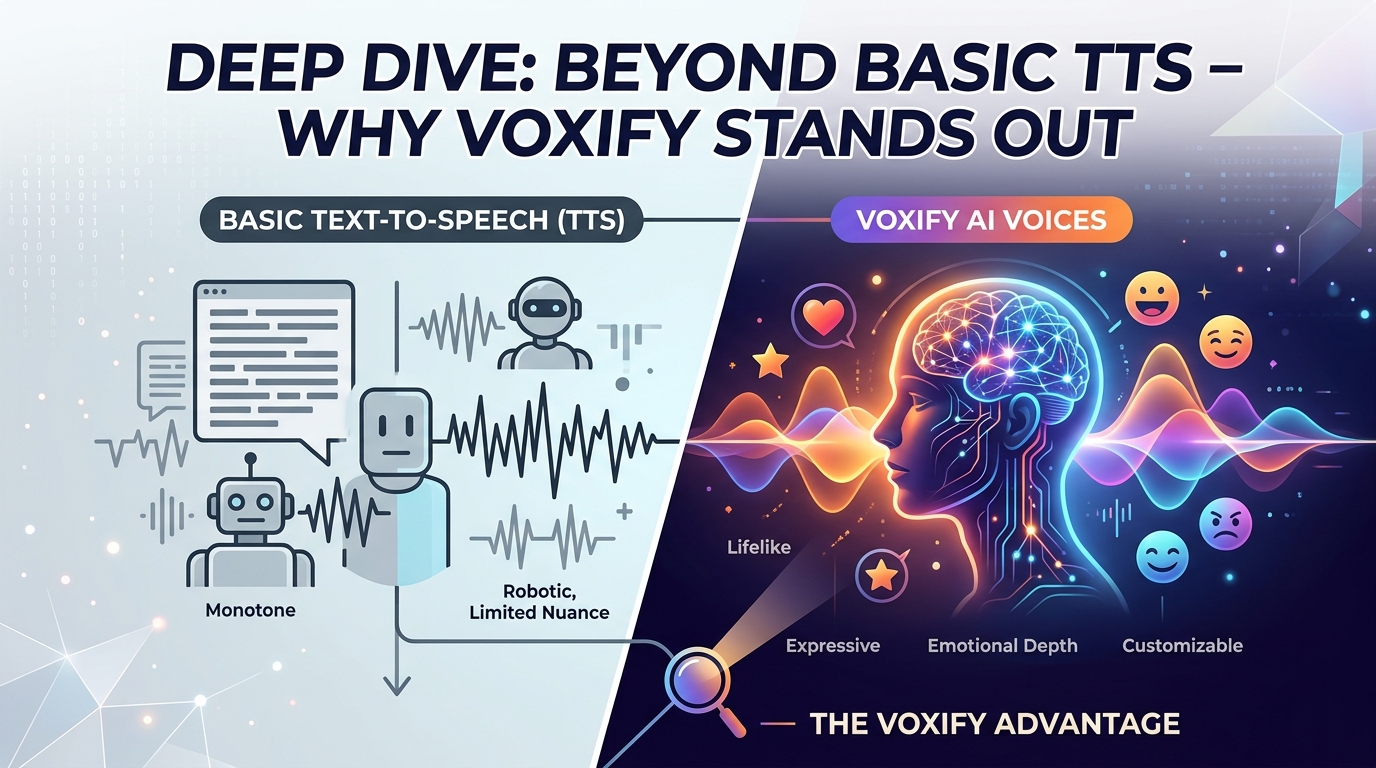
While many apps offer basic text-to-speech, power users demand more. Here’s how a premium tts reader android solution like Voxify addresses advanced needs.
TTS for Android Auto: Your Commute, Reimagined
For professionals and students constantly on the go, TTS for Android Auto is a game-changer. Imagine catching up on industry news, listening to a chapter of your textbook, or enjoying a novel during your commute. Voxify’s seamless integration and multi-format support mean your entire digital library can accompany you safely on the road. Its natural voices make for a less distracting and more engaging listening experience compared to generic system voices, turning dead travel time into productive or enjoyable moments.
Beyond Reading: TTS for Productivity and Accessibility
The utility of a read aloud app android extends far beyond leisure reading. For students, it’s an invaluable tool for proofreading essays, grasping complex material through auditory learning, or reviewing notes. Professionals can leverage it to absorb reports, emails, or lengthy articles, freeing their eyes for other tasks or reducing screen strain. For individuals with reading disabilities or visual impairments, a natural ai voice android app like Voxify offers unparalleled accessibility, opening up a world of information previously difficult to access.
Exploring TTS APIs and Browser Extensions
While some users, particularly developers, might explore TTS APIs for custom integrations or browser extensions for web-only reading, these solutions often lack the comprehensive features and seamless experience of a dedicated application. Voxify consolidates multi-format file support, advanced voice customization, dialogue intelligence, and an integrated web reader into one powerful, user-friendly platform, making it the superior choice for most users seeking a robust, all-encompassing best tts app for books and documents.
Expert Tips: Mastering Your Android TTS Experience
To truly optimize your android text to speech journey and maximize productivity, consider these expert tips:
- Adjust Speed for Comprehension: Don’t be afraid to experiment with playback speed. Start at a comfortable pace and gradually increase it as your auditory processing improves. Power users often find they can comprehend at 1.5x or even 2x speed.
- Experiment with Voices: Voxify offers a range of natural AI voices. Try different ones to find the voice that is most pleasant and easiest for you to listen to for extended periods.
- Utilize the Sleep Timer: For nighttime reading, set the sleep timer to automatically pause playback after a set duration. This prevents you from losing your place or draining your battery.
- Organize Your Digital Library: Keep your PDFs, EPUBs, and other documents well-organized in a dedicated folder on your device. This makes it quicker and easier to import them into Voxify when you’re ready to listen.
- Leverage Offline Mode: Download essential documents for offline listening. This is crucial for commutes, flights, or areas with unreliable internet access, ensuring uninterrupted productivity.
- Integrate with Your Workflow: Make TTS a regular part of your daily routine. Listen to news articles during breakfast, review work documents during your commute, or enjoy a novel while doing chores.
By integrating a powerful tool like Voxify Read Aloud Books & TTS into your daily routine, you’re not just reading differently; you’re transforming your entire approach to information consumption, boosting your productivity, and reclaiming valuable time.