Unlock Your Amazon Library: The Best AI Text-to-Speech Apps for Android Power Users


In an era of relentless digital consumption, the modern professional, student, and avid reader often grapple with a common adversary: screen fatigue. Our eyes, tethered to displays for work, study, and leisure, yearn for a break. Yet, our thirst for knowledge and narrative remains unquenched. This convergence has propelled AI-powered text-to-speech (TTS) technology from a niche accessibility tool into an indispensable productivity hack, transforming how we engage with digital text – including our vast Amazon ebook libraries.
The shift isn’t just about resting your eyes; it’s about reclaiming time. Imagine listening to complex reports during your commute, absorbing a new novel while cooking, or reviewing study materials during a workout. The right tts reader android app doesn’t just read; it liberates your content, turning virtually any text into a personalized audiobook. While Amazon’s Kindle app offers basic accessibility features, power users demand more: more natural voices, broader format support, and advanced control.
The Apex of Audio Reading: Introducing Voxify Read Aloud Books & TTS
For those who demand uncompromising quality, seamless functionality, and intelligent design, Voxify Read Aloud Books & TTS stands out as the premier best tts app for books on Android. It’s not merely a text reader; it’s a sophisticated audio companion engineered for the discerning user across the USA, UK, and Australia. Voxify transcends the limitations of standard TTS, offering an immersive, highly customizable listening experience that truly brings your digital library to life.
Unrivaled Natural AI Voices & Dialogue Intelligence
At the heart of Voxify’s appeal are its Ultra-Natural AI Voices (Neural TTS). Gone are the robotic, monotonous tones of yesteryear. Voxify leverages cutting-edge artificial intelligence to produce voices that are virtually indistinguishable from human narration, complete with nuanced inflections and fluid pacing. This is where Voxify truly shines, offering a natural ai voice android experience that minimizes listening fatigue and maximizes comprehension.
Beyond mere naturalness, Voxify introduces groundbreaking Smart Voice Changing for dialogues. Imagine listening to a novel where each character’s lines are read by a distinct voice, making conversations dynamic and engaging – a feature typically reserved for professionally produced audiobooks. This innovation transforms passive listening into an active, enjoyable narrative journey.
Universal Format Support & Seamless Integration
Voxify is built for your entire digital library, not just a select few formats. It boasts comprehensive Multi-format support, effortlessly handling:
- EPUB
- TXT
- MOBI
- CBZ (for comic book readers!)
This versatility means whether you’re reading a research paper, a classic novel, or an independent publication, Voxify has you covered. For your Amazon ebooks, while DRM-protected Kindle files require Amazon’s own app, Voxify excels with DRM-free MOBI files you might own, or by leveraging its Integrated Web Reader to vocalize content directly from sources like the Kindle Cloud Reader (where available) or any web-based article. Furthermore, its Image Reading Support (OCR/Auto-scroll) means even text embedded in images or scanned documents can be read aloud, offering an unparalleled level of accessibility and utility.
Additional features designed for the power user include:
- Sleep Timer: Perfect for winding down with a chapter without losing your place.
- Audio Customization: Fine-tune your listening experience with Pitch and a sophisticated Equalizer, allowing you to optimize voice clarity and comfort for any environment.
Ready to transform your reading habits?
<a href="
“>🚀 DOWNLOAD VOXIFY ON GOOGLE PLAYExpanding Your Listening Horizon: Beyond the Kindle App
While Amazon’s Kindle app provides basic text-to-speech functionality, it often pales in comparison to dedicated solutions like Voxify. For power users seeking to read ebook amazon content with superior audio quality and versatility, understanding how to leverage a premium TTS app is key.
Listening to Amazon Ebooks with Voxify
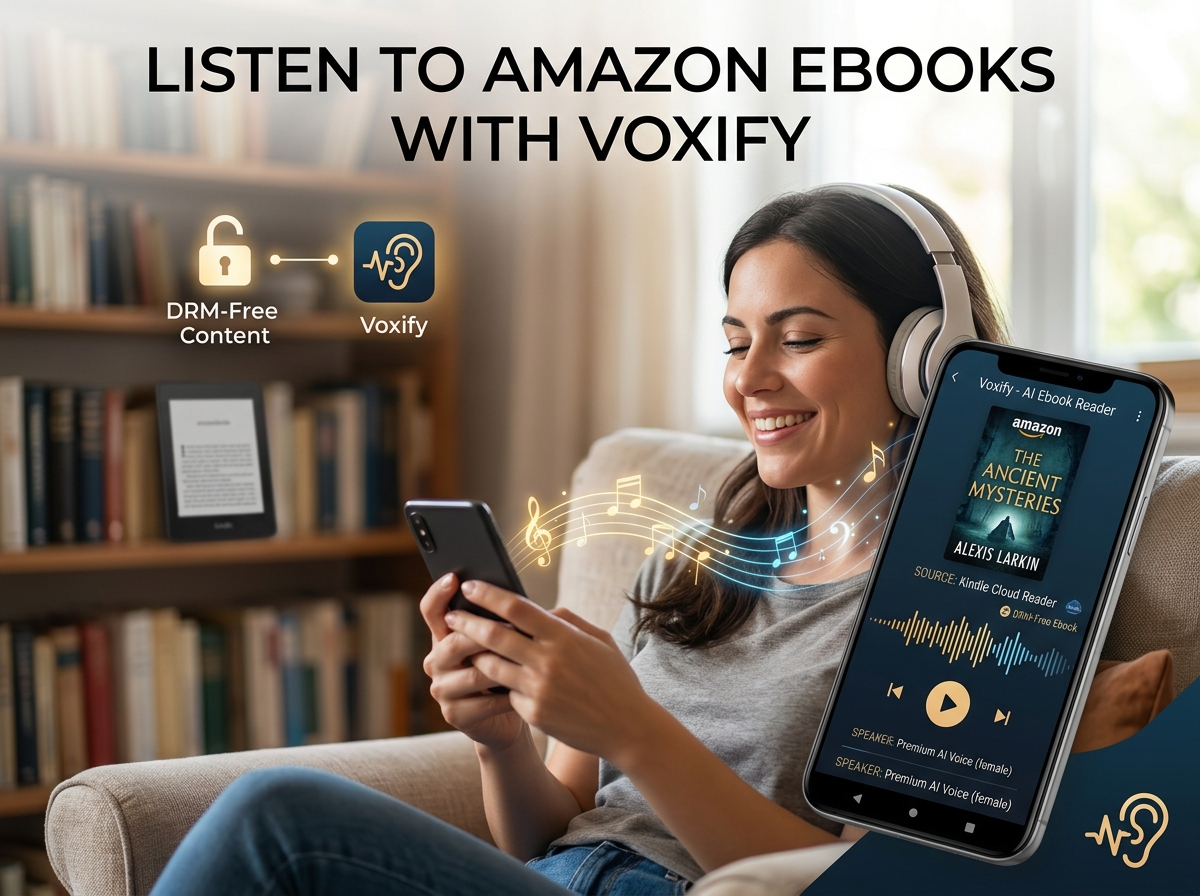
The primary challenge with Amazon Kindle books is their proprietary DRM (Digital Rights Management). Direct import of DRM-protected .azw or .kfx files into third-party apps is generally not possible. However, Voxify still offers significant value for Amazon users:
- DRM-Free Content: Many older Amazon purchases, public domain titles, or independent author works are available DRM-free (often in MOBI or EPUB formats). Download these files to your Android device, and Voxify will read them flawlessly with its advanced AI voices.
- Web Reader for Kindle Cloud: If you access your Kindle library via a web browser (e.g., Kindle Cloud Reader), Voxify’s Integrated Web Reader can often capture and vocalize the on-screen text, providing a premium listening experience even for web-based content.
- Image Reading (OCR): For scenarios where text is presented as an image within the Kindle app (e.g., scanned pages, complex diagrams), Voxify’s Image Reading Support (OCR) can intelligently extract and read that text aloud.
By expanding beyond the Kindle app’s native limitations, Voxify empowers you to enjoy a richer, more flexible audio experience for a wider range of content.
TTS for Android Auto: Your Commute, Reimagined
For professionals and multi-taskers, the ability to consume content safely while driving is invaluable. While many apps offer basic tts for android auto integration, Voxify’s superior voice quality and intuitive controls make it an ideal companion. Imagine catching up on that crucial report or diving into a captivating novel without fumbling with your phone. Voxify ensures your audio content is delivered with clarity and consistency, making your drive productive and enjoyable.
Browser Extensions vs. Dedicated Apps: Why Voxify Wins
Many users explore browser extensions for TTS, especially for web articles. While convenient for quick reads, these often fall short for long-form content.
- Limited Voice Quality: Browser extensions typically rely on basic system voices or less sophisticated AI.
- Format Restrictions: They rarely support local files like PDFs, EPUBs, or MOBI.
- Offline Access: Most require an active internet connection.
- Lack of Advanced Features: Customization, sleep timers, and dialogue intelligence are usually absent.
Voxify, as a dedicated Android application, overcomes these limitations, offering a robust, offline-capable, and feature-rich solution that simply cannot be matched by browser-based alternatives. It’s built from the ground up for a premium audio reading experience.
For Developers: APIs vs. User-Ready Solutions
While developers might explore TTS APIs for custom integrations, the average power user seeks a polished, out-of-the-box solution. Voxify represents the pinnacle of user-ready TTS, packaging complex AI and extensive features into an intuitive interface. It bypasses the need for coding, offering immediate access to advanced capabilities that would otherwise require significant development effort.
Mastering Your Audio Experience: Expert Tips for Android TTS
To truly optimize your listening journey with Voxify and other tts reader android apps, consider these expert tips:
- Adjust Reading Speed: Productivity experts often recommend incrementally increasing listening speed. Start comfortably, then gradually bump up the speed (e.g., 1.25x, 1.5x) to train your brain to process information faster without sacrificing comprehension.
- Experiment with Voices: Don’t settle for the default. Voxify offers a range of
natural ai voice androidoptions. Find the voice that resonates best with you and the type of content you’re consuming. - Utilize the Equalizer: For challenging audio environments (e.g., noisy commutes), Voxify’s Equalizer can enhance clarity by boosting certain frequencies, making voices stand out.
- Leverage the Sleep Timer: For nighttime reading, set a sleep timer. This prevents you from losing your place if you drift off and conserves battery.
- Multi-task Strategically: Pair listening with low-focus tasks like exercising, cleaning, or commuting. This maximizes your productivity and makes otherwise mundane activities more engaging.
- Organize Your Digital Library: Keep your DRM-free ebooks, PDFs, and other documents well-organized on your device for easy access within Voxify.
By integrating Voxify Read Aloud Books & TTS into your daily routine, you’re not just listening to books; you’re transforming your entire approach to information consumption. It’s an investment in productivity, accessibility, and a richer, more flexible reading life.