Beyond the Page: Mastering Android Text-to-Speech for Productivity & Pleasure


In an era of relentless digital information, the modern power user faces a unique challenge: information overload and persistent screen fatigue. From dense academic papers to extensive business reports and the latest bestselling novels, our eyes are constantly strained. This landscape has spurred a quiet revolution, shifting how we consume content, with AI-powered audio experiences now an indispensable tool for enhanced productivity and deeper comprehension.
Gone are the days of robotic, monotone voices. Today’s text-to-speech (TTS) reader Android applications leverage advanced artificial intelligence to transform any written text into incredibly natural-sounding audio, making multi-tasking, learning, and relaxation more accessible than ever. But with a myriad of options, which solution truly empowers the discerning user?
Spotlight: Voxify Read Aloud Books & TTS – The Pinnacle of Android Audio Reading
For professionals, students, and avid readers seeking the ultimate edge in audio comprehension and content consumption, Voxify Read Aloud Books & TTS stands out as the unequivocal leader. It’s not merely a TTS app for books; it’s a comprehensive audio ecosystem designed to elevate your reading experience across every format imaginable.
Voxify addresses the core demands of power users: versatility, natural sound, and intelligent features that go beyond basic text-to-audio conversion. It seamlessly integrates into your digital life, transforming your device into a powerful, personalized audiobook library.
Unparalleled Natural AI Voices: The Sound of Tomorrow
The hallmark of a truly premium TTS experience lies in its voices. Voxify leverages cutting-edge Ultra-Natural AI Voices (Neural TTS) that defy traditional synthetic limitations. These aren’t just voices; they are intelligent narrators that bring text to life with nuanced intonation, rhythm, and clarity, significantly improving reading comprehension ebook content.
Imagine listening to a complex technical document or an emotionally charged novel, and the voice adapts, mimicking human speech patterns with remarkable accuracy. Voxify takes this a step further with Smart Voice Changing for dialogues, automatically assigning distinct voices to different speakers within a text. This feature alone revolutionizes the experience of listening to fiction, making it far more engaging and easier to follow than any single-voice narrator.
All-in-One Format Support: Your Entire Library, Audified
What truly distinguishes Voxify is its commitment to universal accessibility. Forget juggling multiple apps for different file types. Voxify offers robust multi-format support, effortlessly handling:
- EPUB
- TXT
- MOBI
- CBZ (Comic Book Archive)
Beyond local files, the Integrated Web Reader allows you to feed articles, blog posts, and web pages directly into Voxify, making it your go-to solution for all online content. Even challenging content like images with text is conquerable, thanks to its Image Reading Support (OCR/Auto-scroll), which intelligently extracts and reads text from pictures, scrolling automatically as it reads.
Furthermore, Voxify provides granular Audio Customization with Pitch/Equalizer controls, allowing you to fine-tune the sound profile to your exact preferences, ensuring optimal clarity and comfort for extended listening sessions. Coupled with a Sleep Timer, you can drift off to your favorite book without worrying about playback continuing indefinitely.
<a href="
“>🚀 DOWNLOAD VOXIFY ON GOOGLE PLAYDeep Dive: Beyond Basic TTS – Addressing Diverse Power User Needs
While many generic TTS apps offer rudimentary functionality, power users often have specific requirements. Let’s explore how Voxify addresses these, often outperforming or rendering separate solutions unnecessary.
Android Auto Integration: Your Mobile Audiobook Companion
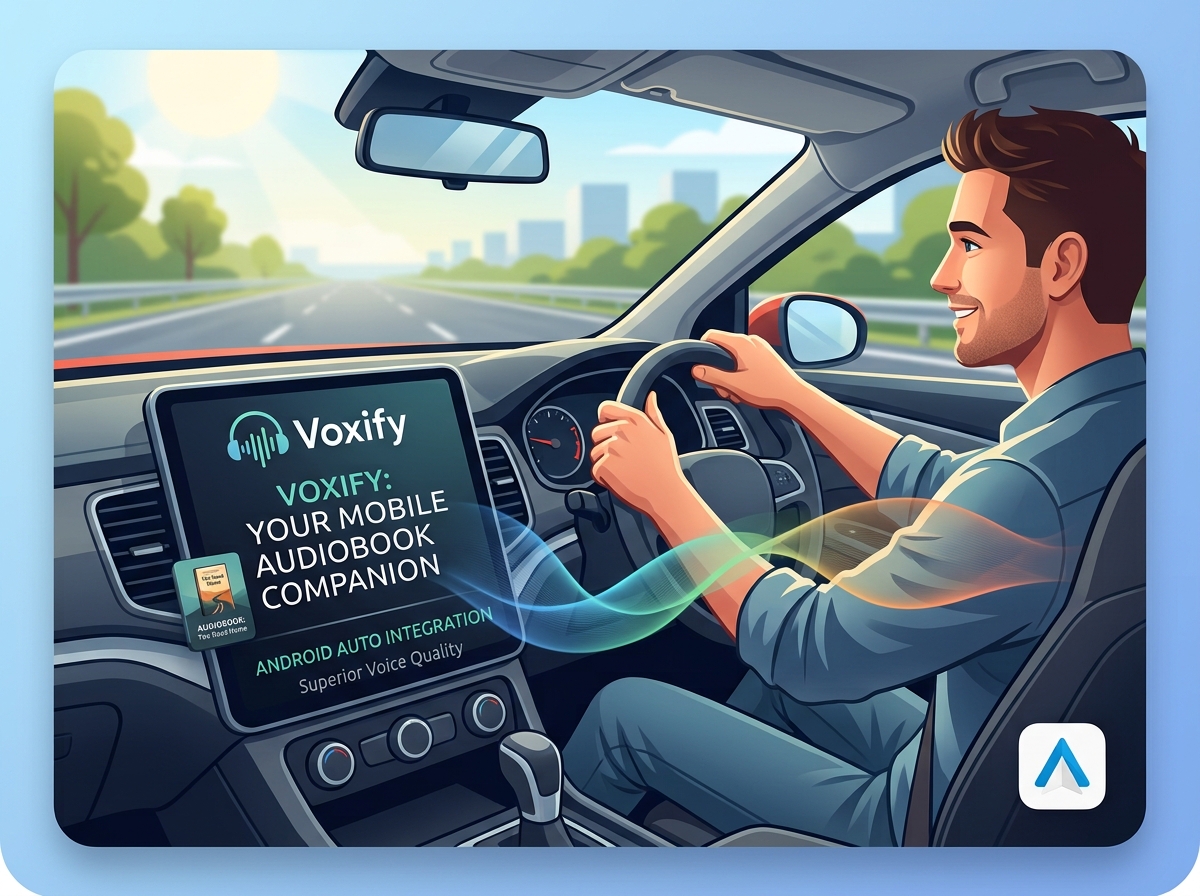
For those constantly on the move, integrating content consumption with driving is crucial. While many basic tts reader Android apps might offer limited tts for Android Auto compatibility, Voxify’s comprehensive file support and superior voice quality make it an ideal companion. Imagine catching up on that business report or novel during your commute, seamlessly accessing your entire library through your car’s infotainment system. Its advanced voice engine ensures clarity even amidst road noise, providing a focused, distraction-free listening experience that basic system TTS often fails to deliver.
Browser Extensions vs. Integrated Web Reader
Many users rely on browser extensions for reading web articles aloud. While convenient for specific browser use, this often fragments your listening experience. Voxify’s Integrated Web Reader consolidates all your web-based reading into one powerful app. This means consistent voice quality, shared listening history, and unified playback controls across all your content, whether it’s a downloaded eBook or a real-time news article. The efficiency of a single, feature-rich platform far surpasses managing multiple browser-specific add-ons.
TTS API & Developer Considerations
For developers or highly technical users, the idea of leveraging Android’s native TTS API might arise. While Android provides a robust framework for integrating TTS into custom applications, the effort involved in creating a feature-rich, user-friendly experience comparable to Voxify is substantial. Implementing multi-format support, Ultra-Natural AI Voices, advanced dialogue handling, and a polished UI requires significant development. For consuming content, rather than building a custom solution, a dedicated app like Voxify offers immediate access to a superior, fully optimized experience without the development overhead. It leverages advanced proprietary AI models that often surpass the capabilities of basic system APIs for naturalness and expressiveness.
Expert Tips for Optimizing Your TTS Experience
To truly harness the power of a premium tts app for books like Voxify, consider these expert recommendations:
- Adjust Reading Speed for Comprehension: While tempting to speed through content, find your optimal listening pace. For complex material, a slightly slower speed can significantly improve reading comprehension ebook content. For familiar or lighter reading, increase it for efficiency.
- Experiment with Voices: Don’t settle for the default. Voxify offers a range of natural AI voice Android options. Explore different male and female voices to find one that resonates best with your listening style and the content type. Some voices might be better suited for fiction, others for non-fiction.
- Leverage Audio Customization: Use the Pitch and Equalizer settings to tailor the audio output. Boosting mid-range frequencies can enhance voice clarity, while adjusting pitch can make a voice more comfortable for long listening sessions.
- Create a Dedicated Listening Environment: Minimize distractions. Use high-quality headphones or earbuds for optimal sound fidelity and immersion. This is especially crucial when consuming complex information.
- Utilize the Sleep Timer: For nighttime readers, the sleep timer is invaluable. Set it to automatically pause playback after a set duration, ensuring you don’t lose your place or drain your battery unnecessarily.
- Organize Your Digital Library: Import all your PDFs, EPUBs, and other documents into Voxify for a centralized, seamless listening experience. A well-organized library makes finding and enjoying your content effortless.
By integrating Voxify Read Aloud Books & TTS into your daily routine, you’re not just reading; you’re transforming how you absorb information, boost productivity, and enjoy literature. It’s an investment in your cognitive efficiency and a gateway to a richer, more flexible reading life.