Beyond Google’s Basics: Unlocking the Ultimate Text-to-Speech Experience on Android


In an era of relentless digital information and ever-shrinking attention spans, the concept of “reading” is evolving. Modern professionals, students, and avid bookworms often find themselves battling reading fatigue, yearning for a more flexible way to consume content. The answer lies in the sophisticated world of AI-powered audiobooks and advanced text-to-speech (TTS) applications, transforming how we engage with everything from complex reports to our favorite novels. While Android’s underlying TTS engine, often powered by Google, provides a solid foundation, the true power lies in the applications built upon it.
The Premier Android TTS Solution: Voxify Read Aloud Books & TTS
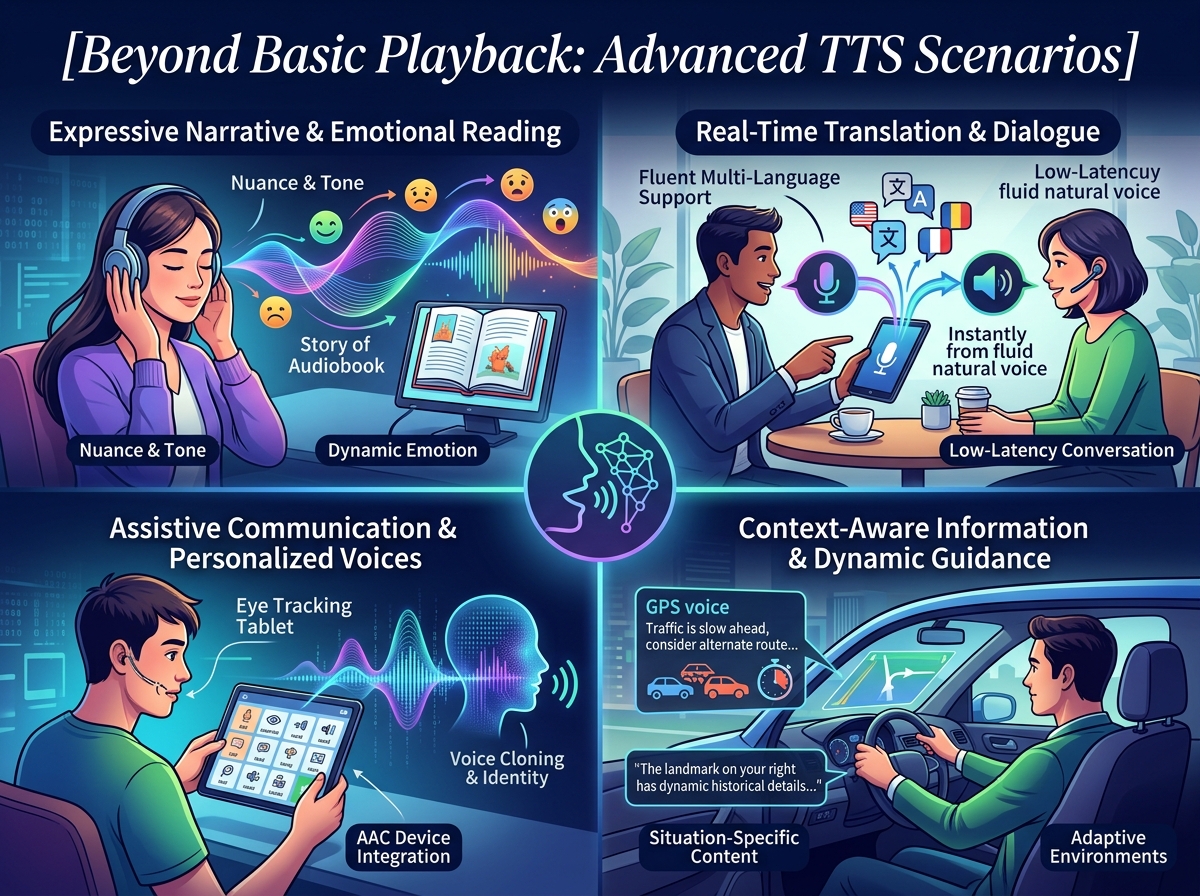
For those demanding more than basic voice narration – users who expect an intuitive interface, unparalleled voice quality, and robust feature sets – Voxify Read Aloud Books & TTS emerges as the definitive TTS reader Android application. It’s not just an app; it’s a comprehensive audio companion designed for the discerning user across the USA, UK, and Australia.
Ultra-Natural AI Voices: A New Standard for Listening
Forget robotic, monotone narration. Voxify leverages cutting-edge Neural TTS technology to deliver ultra-natural AI voices that are virtually indistinguishable from human speech. This isn’t merely about clarity; it’s about immersion. The nuanced intonation and lifelike pacing make long listening sessions genuinely enjoyable, reducing cognitive load and enhancing comprehension.
One of Voxify’s standout innovations is its Smart Voice Changing for dialogues. Imagine listening to a novel where each character’s lines are delivered by a distinct, appropriate voice. This feature elevates the audiobook experience, making stories come alive in a way basic TTS apps simply cannot. Coupled with extensive audio customization options, including Pitch and a full Equalizer, you can fine-tune the listening experience to your exact preferences, ensuring optimal clarity for any content or environment.
All-in-One Format Support & Seamless Integration
Voxify isn’t confined to a single type of document. It’s designed to be your universal best TTS app for books and beyond, supporting a vast array of formats:
- Multi-format support: Seamlessly read PDF, EPUB, TXT, MOBI, and even CBZ comic book archives. Whether it’s a research paper, a digital novel, or a graphic novel script, Voxify handles it with grace.
- Integrated Web Reader: Don’t limit yourself to local files. The built-in web reader allows you to input any URL and have web articles, blogs, or online documents read aloud instantly, making it an invaluable tool for staying informed and productive.
- Image Reading Support (OCR/Auto-scroll): Encountered text within an image? Voxify’s OCR (Optical Character Recognition) capabilities extract the text, allowing it to be read aloud. The Auto-scroll feature ensures a smooth, hands-free experience while viewing the original image.
Beyond its core reading functions, Voxify integrates thoughtful productivity features like a Sleep Timer, perfect for winding down with a story or an educational lecture without worrying about draining your battery.
🚀 DOWNLOAD VOXIFY ON GOOGLE PLAY
Deep Dive: Beyond the Basics – How Voxify Stands Out
While Android’s core TTS capabilities, often powered by Google’s engine, offer foundational speech synthesis, they are merely the building blocks. Users seeking advanced functionality often look for specific use cases.
Android Auto Integration: Your Mobile Reading Companion
For commuters and road warriors, TTS for Android Auto is a game-changer. The ability to listen to documents, articles, or books hands-free is crucial for safety and productivity. While basic TTS might function, Voxify’s superior voice quality, intelligent dialogue handling, and robust playback controls make it the ideal choice. Its focus on natural delivery ensures that spoken content remains engaging and comprehensible even amidst road noise, turning your commute into a productive learning or entertainment session.
For Developers: Leveraging the Power, Delivering the Experience
Developers often explore Google’s Text-to-Speech API for integrating speech into their own applications. While the API provides the raw functionality, creating a user-friendly, feature-rich experience requires significant development. For end-users, rather than relying on rudimentary API implementations, a polished, purpose-built application like Voxify offers a ready-made, superior solution. It takes the underlying technology and wraps it in an intuitive interface with advanced features that would take countless hours for an individual developer to replicate.
Browser Extensions vs. Dedicated Apps: A Matter of Scope
Browser extensions offer a convenient way to read web content aloud. However, their scope is inherently limited to the browser environment. They typically lack multi-format support for local files (PDFs, EPUBs), advanced voice customization, dialogue intelligence, or offline capabilities. Voxify, as a dedicated Android application, provides a holistic solution that transcends browser limitations, offering a consistent, high-quality listening experience across all your digital content, regardless of its origin.
Expert Tips: Optimizing Your TTS Experience for Peak Productivity
To truly harness the power of a premium natural AI voice Android app like Voxify, consider these expert tips:
- Adjust Speaking Speed: For productivity, experiment with faster playback speeds (1.25x to 1.75x). Voxify’s natural voices maintain clarity even at accelerated rates, allowing you to consume more content in less time.
- Utilize the Sleep Timer: Integrate listening into your routine, whether it’s winding down before bed or setting a focus timer during work. The sleep timer ensures the app stops automatically.
- Leverage Audio Customization: Don’t overlook the equalizer and pitch controls. Tailor the audio profile to your headphones or speakers, and adjust pitch for optimal comfort during extended listening.
- Organize Your Library: With multi-format support, your library can grow quickly. Use Voxify’s internal organization features to keep your books, articles, and documents easily accessible.
- Offline Access: Download key documents or articles for offline playback. This is invaluable for travel, areas with poor connectivity, or simply conserving mobile data.
By embracing a sophisticated TTS reader Android app like Voxify Read Aloud Books & TTS, you’re not just listening; you’re transforming your entire reading workflow, boosting productivity, and reclaiming valuable time.