Beyond Reading: The HD Revolution of Android Text-to-Speech Apps for Power Users


In an era defined by endless digital screens, reading fatigue is a pervasive challenge. Professionals juggling reports, students sifting through dense textbooks, and avid readers craving more stories often find their eyes strained and their time fragmented. The solution isn’t to read less, but to consume content smarter. Enter the Text-to-Speech (TTS) reader for Android, a transformative technology that converts written text into lifelike audio.
The market has evolved far beyond robotic voices, ushering in a new generation of AI voice readers that deliver an audiobook-quality experience. For power users in the USA, UK, and Australia seeking the best TTS app for books and beyond, the choice of a robust, feature-rich Android TTS solution is critical for productivity and enjoyment.
Voxify Read Aloud Books & TTS: The Premier AI Voice Reader for Android
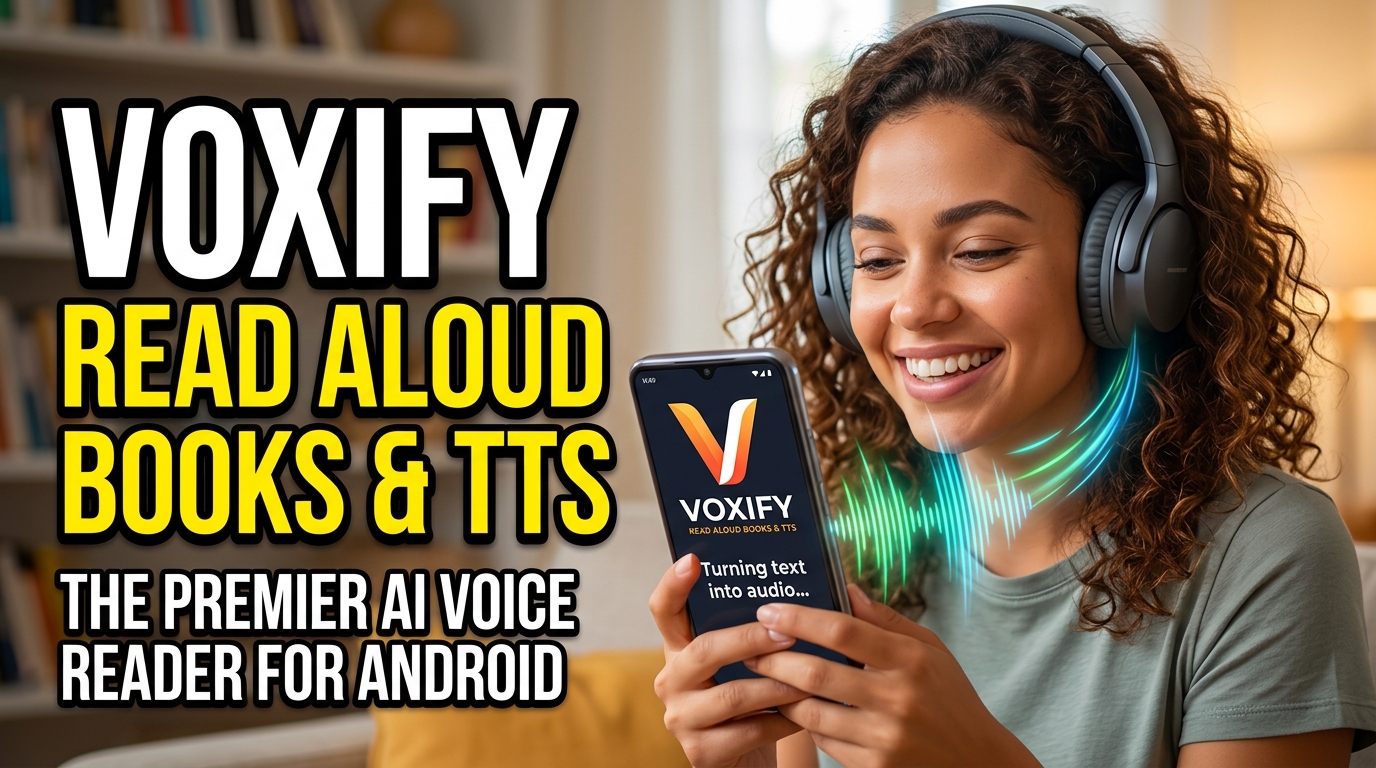
Among the myriad of options, one application stands out for its unparalleled quality, comprehensive feature set, and commitment to a truly immersive audio reading experience: Voxify Read Aloud Books & TTS. Designed from the ground up for discerning users, Voxify transcends basic text-to-speech, offering an app tts reader for android hd experience that redefines how you interact with digital text.
Ultra-Natural AI Voices: The Voxify Difference
The cornerstone of any superior TTS app is its voice quality. Voxify leverages cutting-edge Neural TTS technology to deliver voices that are indistinguishable from human narration. This isn’t just about clarity; it’s about nuance, intonation, and emotional depth.
- Human-like Pronunciation: Experience text read with natural rhythm and emphasis, making even complex academic papers engaging.
- Smart Voice Changing for Dialogues: A game-changer for fiction lovers. Voxify intelligently assigns different voices to dialogue participants, transforming your reading into an authentic audio play.
- Extensive Voice Library: Choose from a diverse selection of premium, natural AI voices across various accents and languages, ensuring a personalized listening experience.
All-in-One Reading Hub: Unmatched Format Support
For the modern power user, content comes in many forms. Voxify Read Aloud Books & TTS eliminates the need for multiple apps, acting as your universal tts reader android hub.
- Multi-format Support: Seamlessly open and listen to a vast array of document types, including PDF, EPUB, TXT, MOBI, and CBZ. Whether it’s a work report, an e-book, or a comic book script, Voxify handles it with ease.
- Integrated Web Reader: Don’t just read articles; listen to them. Voxify’s built-in web browser allows you to navigate the internet and have any web page read aloud instantly, making it an indispensable productivity app android.
- Image Reading Support (OCR/Auto-scroll): Encounter text embedded in images? Voxify’s advanced Optical Character Recognition (OCR) technology can extract and read it aloud. Paired with intelligent auto-scrolling, your visual content becomes audible.
Tailored Audio Experience & Productivity Tools
Voxify understands that optimal listening is a personal journey. The app provides granular control over your audio, alongside intelligent features designed for maximum productivity.
- Audio Customization (Pitch/Equalizer): Fine-tune the voice to your preference. Adjust pitch, speed, and even use a built-in equalizer to perfect the sound for different environments or content types.
- Sleep Timer: For those who enjoy listening before bed, the integrated sleep timer allows you to drift off without worrying about the app playing all night.
- Intuitive Interface: A clean, user-friendly design ensures that accessing all these powerful features is straightforward and enjoyable.
This comprehensive suite of features makes Voxify Read Aloud Books & TTS the definitive choice for anyone seeking a premium, high-definition audio reading experience on their Android device.
🚀 DOWNLOAD VOXIFY ON GOOGLE PLAY
Deep Dive: Beyond Basic Listening
While many apps offer rudimentary TTS, power users demand more. Let’s explore common search intents and how Voxify stands out.
TTS for Android Auto: Your On-the-Go Library
The commute is prime time for learning or entertainment. TTS for Android Auto transforms your car into a mobile classroom or library. While Android Auto provides basic notification reading, a dedicated tts reader android app like Voxify offers a far richer experience.
Instead of relying on the limited native voice, Voxify allows you to bring your entire digital library – from PDFs to EPUBs – into your car with its superior natural AI voice android. Its robust playback controls and ability to manage multiple document types make it the ideal companion for long drives, ensuring you can continue listening to your books or articles seamlessly and safely.
TTS API Android & Developer Considerations
For developers looking to integrate text-to-speech functionality into their own Android applications, the native Android TTS engine and various third-party TTS API Android solutions exist. These offer programmatic control over speech synthesis.
However, for end-users, building custom solutions is unnecessary. Voxify provides a polished, ready-to-use product that incorporates advanced neural voices and extensive features without any coding required. It’s the ultimate pre-packaged solution for consuming content, freeing developers and power users from the complexities of API integration for their personal reading needs.
Browser TTS Extension Alternatives
Many users turn to browser TTS extensions on desktop or mobile to listen to web content. While these serve a purpose, they often come with limitations: varying voice quality, potential privacy concerns, and the need to manage yet another browser add-on.
Voxify Read Aloud Books & TTS offers a superior, integrated alternative with its dedicated Integrated Web Reader. This feature means you don’t need a separate extension; simply browse within Voxify, and any text on the page can be read aloud using its premium natural AI voice android. This approach consolidates your reading and listening experience into one powerful app, enhancing efficiency and reducing clutter.
Expert Tips: Optimizing Your TTS Experience
To truly harness the power of any app tts reader for android hd, especially Voxify, consider these expert tips:
- Adjust Reading Speed for Productivity: Most TTS apps allow speed adjustments. For absorbing complex information, start slower. For reviewing familiar content or consuming lighter material, increase the speed to save time. Voxify’s precise controls make this effortless.
- Experiment with Voices: Don’t settle for the default. Explore Voxify’s diverse range of neural voices. Different voices can enhance comprehension and engagement, especially for different types of content (e.g., a formal voice for news, a more conversational one for fiction).
- Utilize the Sleep Timer: For winding down, set Voxify’s sleep timer. This prevents the app from playing indefinitely and helps you conserve battery life.
- Leverage Audio Customization: Play with the pitch and equalizer settings in Voxify. A slight adjustment can make a voice sound more pleasant or cut through background noise better, optimizing your listening environment.
- Organize Your Library: Take advantage of Voxify’s multi-format support by centralizing all your digital documents within the app. A well-organized library means less time searching and more time listening.
- Read Image-Based Content: Don’t skip over articles or documents where text is embedded in images. Voxify’s OCR feature opens up a whole new realm of audible content.
By integrating Voxify Read Aloud Books & TTS into your daily routine and applying these tips, you’ll unlock a new dimension of content consumption, transforming how you learn, work, and relax. Embrace the HD revolution of Android Text-to-Speech and reclaim your time and your eyes.