Beyond Reading: Unlocking the Future of Audio Consumption with Android’s Next-Gen TTS Apps


In an era defined by relentless digital content and the constant juggle of commitments, reading fatigue is a pervasive challenge. For power users – students devouring research papers, professionals sifting through reports, or avid readers navigating extensive book lists – the sheer volume of text can be overwhelming. This reality has propelled a significant shift: the rise of AI-powered audiobooks and advanced Text-to-Speech (TTS) apps. No longer a niche accessibility tool, cutting-edge TTS reader Android applications are transforming how we consume information, offering a powerful avenue for multi-tasking and cognitive offloading.
The modern app TTS reader for Android beta experience is about more than just robotic voices; it’s about intelligent, engaging, and highly customizable audio. It’s about leveraging artificial intelligence to convert any text into a natural-sounding narration, freeing your eyes while keeping your mind engaged.
Voxify Read Aloud Books & TTS: The Premier Android Audio Companion
For those seeking the pinnacle of natural AI voice Android capabilities and comprehensive feature sets, Voxify Read Aloud Books & TTS stands out as the definitive solution. This isn’t just another TTS reader Android app; it’s a meticulously crafted platform designed for serious readers and productivity enthusiasts, offering an unparalleled bridge between visual and auditory learning.
Ultra-Natural AI Voices: A New Era of Listening
The core of Voxify’s appeal lies in its commitment to auditory excellence. Gone are the days of monotonous, synthetic speech. Voxify leverages Ultra-Natural AI Voices (Neural TTS), delivering narrations that are remarkably human-like, complete with nuanced intonation and rhythm. This advanced technology ensures that listening to books, articles, or documents is an immersive experience, not a chore.
What truly elevates Voxify’s audio experience is its Smart Voice Changing for dialogues. Imagine listening to a novel where different characters are voiced by distinct, appropriate tones, bringing the story to life in a way standard TTS cannot. This feature is a game-changer for fiction lovers and anyone seeking a more engaging audio experience. Furthermore, Audio Customization with options for Pitch and an integrated Equalizer allows users to fine-tune the sound to their personal preference, ensuring optimal clarity and comfort.
All-in-One Format Support & Seamless Integration
Voxify is engineered to be your universal text-to-audio converter. Its robust Multi-format support means you can feed it virtually any digital document, and it will transform it into listenable audio.
- PDF: Seamlessly convert academic papers, reports, or e-books.
- EPUB: Enjoy your digital library with rich, natural narration.
- TXT & MOBI: Handle plain text files and Kindle-compatible formats effortlessly.
- CBZ: Even comic book readers can get in on the action, with support for this popular format.
Beyond local files, the Integrated Web Reader is a powerhouse feature. Browse articles, blogs, or any web content directly within Voxify, and have it read aloud instantly. This eliminates the need for separate browser extensions or copy-pasting, streamlining your digital consumption workflow.
Adding to its versatility, Voxify also boasts Image Reading Support (OCR/Auto-scroll). This remarkable feature allows the app to extract text from images – perfect for handwritten notes, scanned documents, or even text embedded in complex graphics – and read it aloud. Combined with a Sleep Timer for winding down with an audiobook, Voxify truly offers an exhaustive suite of features for every reading scenario.
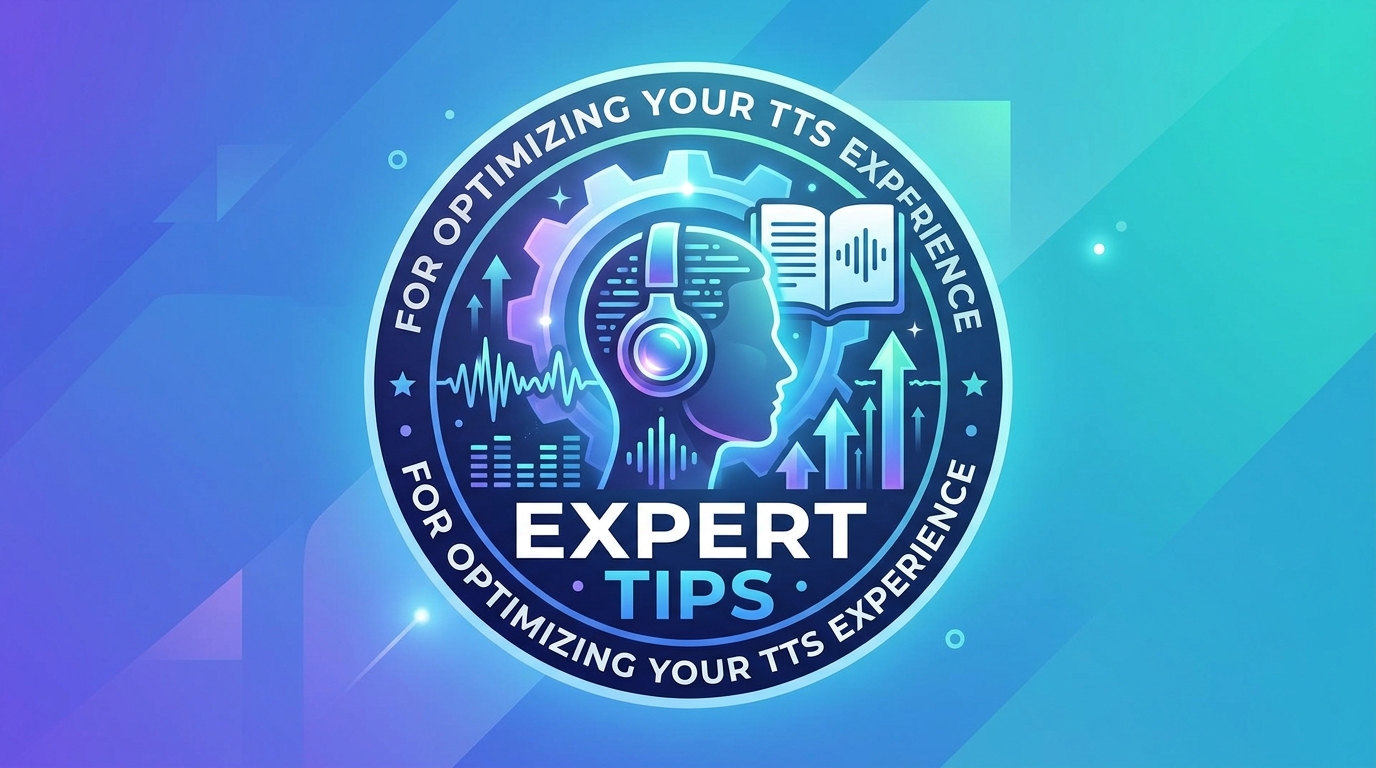
Deep Dive: TTS for Every Scenario
While many basic tts reader android apps exist, the true power of advanced solutions like Voxify becomes evident when addressing specific user needs and integration points.
On the Go: TTS for Android Auto
For professionals and commuters, tts for android auto integration is a non-negotiable feature. The ability to safely listen to documents, emails, or even your favorite novel while navigating traffic or on a road trip drastically enhances productivity and makes commutes more bearable.
Many generic TTS engines lack the seamless integration and robust file support needed for a truly effective in-car experience. Voxify, with its comprehensive format support and intuitive interface, ensures your audio content is always accessible and easily controlled via your Android Auto display. Its natural voices reduce listener fatigue, making long drives with spoken content genuinely enjoyable.
For Developers & Power Users: Beyond Basic APIs
While developers might explore native Android TTS API/code for custom applications, the average power user seeks a ready-to-use, feature-rich solution. Native APIs offer flexibility but require significant development effort and often result in basic, robotic voices unless integrated with advanced cloud services.
Voxify provides an “out-of-the-box” premium experience, abstracting away the complexities of backend AI and offering a polished, user-friendly interface. This means you get the benefits of cutting-edge natural AI voice Android technology without needing to write a single line of code, saving invaluable time and effort.
Web Content & Browser Extensions
Browser extensions are popular for reading web pages aloud, but they often lack the sophisticated voice options, multi-format support, and offline capabilities of a dedicated app. Voxify’s Integrated Web Reader offers a superior alternative. Instead of relying on a separate browser extension, you can pull web articles directly into Voxify, leveraging its ultra-natural voices, dialogue handling, and offline playback features. This creates a unified reading and listening environment, eliminating context switching and improving focus.
Expert Tips: Optimizing Your TTS Experience for Peak Productivity
To truly harness the power of an advanced app TTS reader for Android beta like Voxify, consider these expert tips:
- Adjust Reading Speed for Productivity: Most TTS apps allow speed adjustments. Experiment to find your optimal listening speed. For dense material, a slightly slower pace might aid comprehension, while lighter content can be consumed at a much faster rate to maximize efficiency. Voxify’s precise controls make this easy.
- Leverage Sleep Timers: For winding down with an audiobook or article, activate the Sleep Timer. This prevents the audio from playing all night, conserving battery and ensuring you don’t lose your place.
- Utilize Voice Customization: Don’t settle for the default. With Voxify’s Audio Customization (Pitch/Equalizer), tweak the voice’s pitch and use the equalizer to enhance clarity or bass, tailoring the sound to your headphones and environment.
- Organize Your Digital Library: Keep your PDFs, EPUBs, and other documents organized. Voxify’s multi-format support means a well-structured digital library will seamlessly translate into a powerful audio library.
- Offline Access is Key: Download essential documents and books for offline listening. Whether on a flight, in a subway, or in an area with poor connectivity, Voxify ensures your content is always available.
- Embrace Dialogue Voices: For fiction, actively use Voxify’s Smart Voice Changing for dialogues. This transforms the listening experience, making stories far more engaging and easier to follow.
The evolution of TTS reader Android applications has culminated in sophisticated tools that redefine how we interact with text. By embracing platforms like Voxify Read Aloud Books & TTS, power users can combat reading fatigue, enhance productivity, and unlock an entirely new dimension of digital content consumption. The future of reading is listening, and it’s clearer and more natural than ever before.