Beyond the Screen: Mastering EPUB, Web, & Text-to-Speech on Android for Power Users


In an era defined by endless screen time and information overload, the modern reader faces a unique challenge: reading fatigue. Our eyes are constantly glued to displays, from laptops to smartphones, leading to strain and diminished productivity. Yet, the thirst for knowledge and compelling narratives remains unquenched. This dichotomy has fueled a quiet revolution in how we consume content, ushering in the age of AI-powered audiobooks and sophisticated text-to-speech (TTS) solutions.
For power users, students, and professionals who juggle multiple tasks, the ability to transform written text into natural-sounding audio isn’t just a convenience—it’s a strategic advantage. It allows for seamless multitasking, deeper comprehension, and a richer, more accessible reading experience. But with a plethora of options, finding the truly outstanding solution for Android devices, especially for diverse formats like EPUBs and web content accessed via Chrome, can be daunting.
Voxify Read Aloud Books & TTS: The Pinnacle of Android Audio Reading

When it comes to elevating your reading experience on Android, one application consistently rises above the rest: Voxify Read Aloud Books & TTS. Engineered for discerning users, Voxify isn’t just another TTS app; it’s a comprehensive audio reading platform designed to transform your digital library and web browsing into an ultra-natural listening journey. For anyone looking to truly leverage the power of tts reader android technology, Voxify is the definitive answer.
Ultra-Natural AI Voices: The Sound of Tomorrow's Reading
The hallmark of a truly premium TTS experience lies in its voice quality. Voxify doesn’t just read; it performs. Leveraging cutting-edge Neural TTS technology, Voxify delivers ultra-natural AI voices that are virtually indistinguishable from human narration. Forget robotic, monotonous voices that detract from the story. Voxify offers:
- Diverse Voice Selection: A vast library of voices across various languages and accents, allowing you to personalize your listening experience.
- Smart Voice Changing for Dialogues: A revolutionary feature that automatically assigns different voices to different characters in a dialogue, bringing stories to life with unparalleled immersion.
- Audio Customization: Fine-tune your listening with granular controls over pitch, speed, and an integrated equalizer, ensuring every word is heard exactly as you prefer.
All-in-One Format Support & Integrated Web Reader
Many struggle with fragmented solutions—one app for PDFs, another for EPUBs, and a separate browser extension for web articles. Voxify eliminates this friction, offering robust support for virtually every digital document format you encounter, making it the best tts app for books and beyond.
- Multi-Format Mastery: Seamlessly read PDF, EPUB, TXT, MOBI, and even CBZ (comic book archives). Your entire digital library is now an audiobook library.
- Integrated Web Reader: Directly paste URLs or share web pages from Chrome and other browsers into Voxify. This means you can comfortably listen to articles, blog posts, and research papers without needing to keep a browser tab open or rely on less capable browser extensions. For those searching for a superior alternative to basic ‘read epub chrome’ extensions or generic ‘text to speech chrome’ tools, Voxify’s integrated web reader offers a dedicated, feature-rich environment.
- Image Reading Support (OCR/Auto-scroll): Even content embedded within images isn’t off-limits, thanks to advanced OCR capabilities, complemented by auto-scroll for a hands-free experience.
Beyond these core features, Voxify includes a Sleep Timer for winding down with a good story, and intuitive library management, ensuring your reading workflow is efficient and enjoyable.
<a href="
“>🚀 DOWNLOAD VOXIFY ON GOOGLE PLAYDeep Dive: Navigating TTS Across Your Digital Ecosystem
While the initial impulse might be to search for a “read epub chrome extension” or “text to speech chrome,” power users quickly realize that browser-based solutions have inherent limitations.
Browser Extensions vs. Dedicated Apps: The Chrome Conundrum
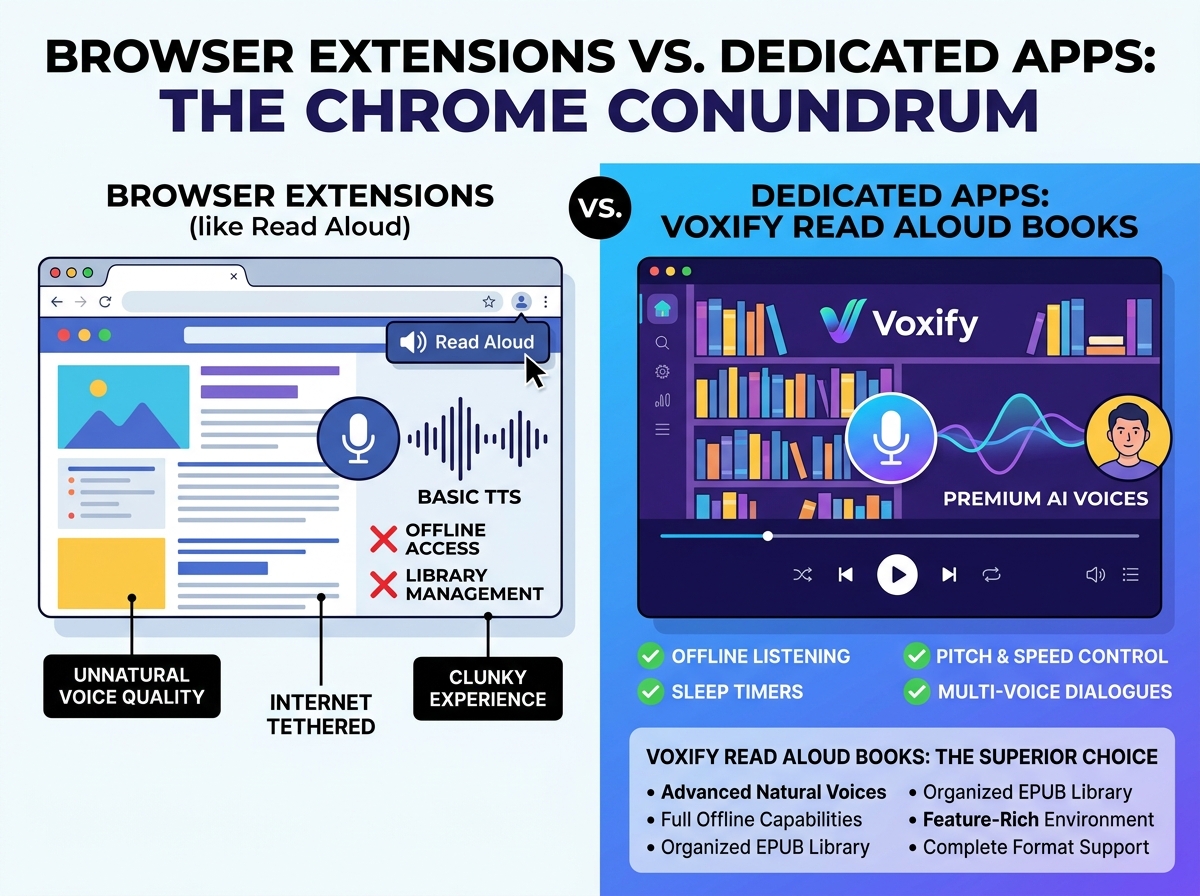
For a quick read of a web page, Chrome extensions like “Read Aloud” or basic EPUB viewers can suffice. However, for dedicated book consumption, especially with EPUBs, the experience often falls short. These extensions typically lack:
- Advanced Voice Quality: They often rely on browser-native TTS, which is functional but rarely offers the natural ai voice android capabilities found in premium apps.
- Offline Access & Library Management: You’re tethered to an internet connection, and managing a collection of EPUBs within a browser is clunky at best.
- Feature Richness: Sleep timers, pitch adjustments, multi-voice dialogues, and comprehensive format support are typically absent.
This is precisely where Voxify Read Aloud Books & TTS shines. By moving your reading from a browser tab to a dedicated app, you unlock a superior, offline-capable, and feature-rich environment that far surpasses any ‘read epub chrome’ extension. Voxify imports your EPUBs directly, offering a true audiobook experience.
TTS on the Go: Android Auto Integration
The demand for tts for android auto is rapidly growing as users seek to maximize productivity and entertainment during commutes. While Android Auto itself offers basic text-to-speech for notifications and messages, integrating a powerful TTS app is crucial for consuming longer-form content like books and articles.
Voxify seamlessly integrates with your Android ecosystem. Once an EPUB or web article is loaded and playing in Voxify, it functions like any other audio app. You can control playback (play, pause, skip) directly from your car’s Android Auto interface, transforming your commute into a productive learning or entertainment session. This hands-free, eyes-free approach is ideal for professionals and students alike.
Developers & APIs: Building Custom TTS Solutions (and why most don't need to)
For developers, Android’s native TTS engine (TextToSpeech API) provides a foundation for integrating TTS capabilities into custom applications. This allows for highly tailored solutions, such as accessibility features within a niche app or specific voice prompts for industrial tools.
However, for the vast majority of power users, students, and book lovers, delving into Android’s TTS API is unnecessary. Premium, feature-rich apps like Voxify Read Aloud Books & TTS offer an out-of-the-box solution that delivers superior voice quality, extensive format support, and a polished user experience without requiring any coding knowledge. Unless you’re building a unique application, a dedicated tts reader android app like Voxify is the more efficient and effective choice.
Expert Tips for Optimizing Your TTS Experience
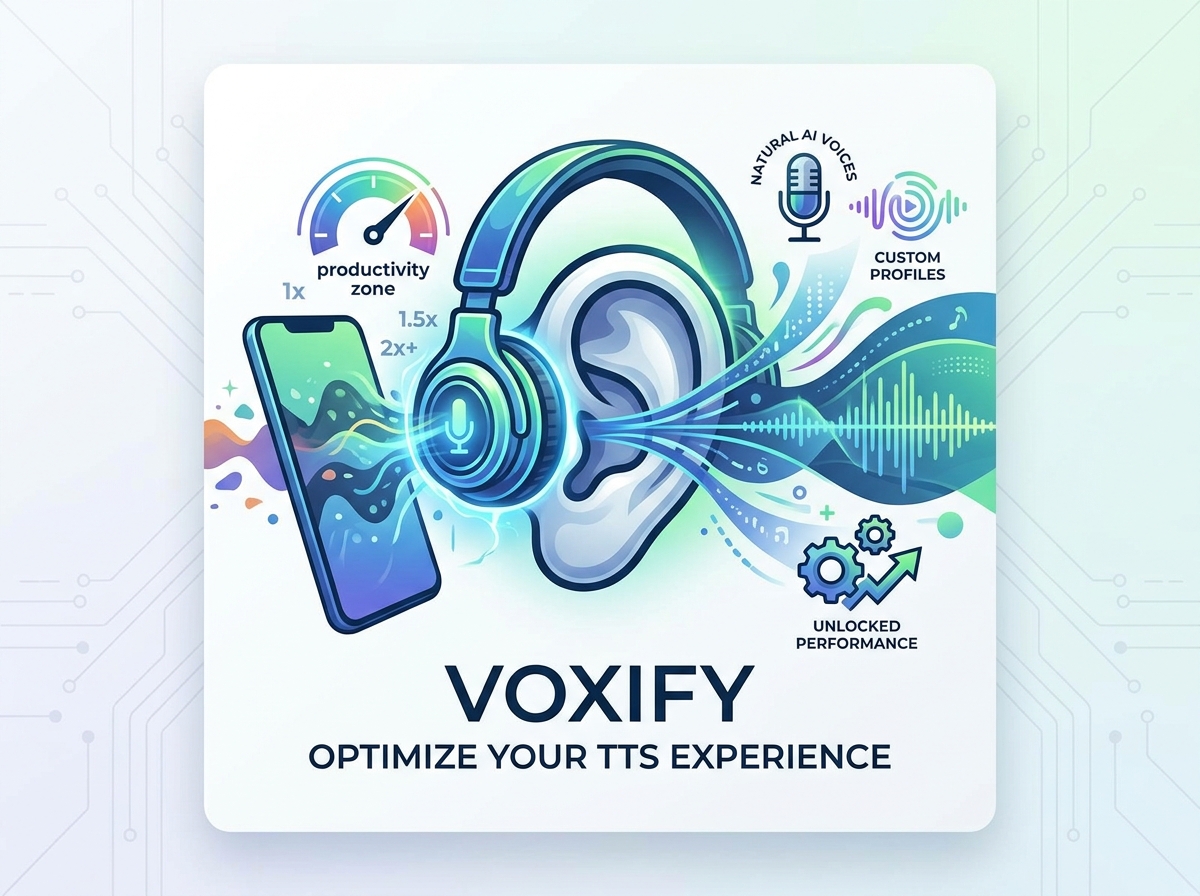
To truly master text-to-speech on Android and unlock peak productivity, consider these expert recommendations:
- Experiment with Voices: Don’t settle for the default. Voxify offers a wide array of natural ai voice android options. Spend time finding a voice that is pleasant, clear, and engaging for you. A good voice can significantly enhance comprehension and reduce listening fatigue.
- Adjust Playback Speed Strategically: For complex material, start slower to ensure full comprehension. For lighter content or when reviewing familiar information, gradually increase the speed. Many power users can comfortably listen at 1.5x or even 2x speed, drastically cutting down on content consumption time. Voxify’s precise speed controls make this effortless.
- Utilize the Sleep Timer: For nighttime reading or when you want to ensure you don’t miss content if you doze off, set Voxify’s sleep timer. It’s a small feature that makes a big difference in convenience.
- Leverage Audio Customization: Don’t ignore the equalizer and pitch controls. Adjusting the pitch slightly can make a voice more agreeable, and a subtle equalizer tweak can improve clarity, especially in noisy environments or with specific headphones.
- Organize Your Digital Library: Before importing into Voxify, ensure your EPUBs and other documents are well-named and stored in accessible folders. This makes it easier to manage your growing audio library within the app.
- Batch Process Web Articles: Instead of listening to one article at a time, use Voxify’s integrated web reader to queue up several articles from your Chrome tabs or research papers. This creates a continuous stream of audio content for extended listening sessions.
By integrating Voxify Read Aloud Books & TTS into your daily routine, you’re not just listening to text; you’re transforming your entire reading workflow. It’s an investment in productivity, accessibility, and a richer, more enjoyable interaction with the digital world.