Revolutionize Your Reading: The Ultimate Android TTS Apps for Power Users in 2026


In an era defined by information overload and relentless digital screen time, the modern reader faces an unprecedented challenge: reading fatigue. Professionals juggle reports, students grapple with textbooks, and avid readers yearn for more immersive ways to consume their favorite stories. The solution isn’t to read less, but to read smarter. This is where Text-to-Speech (TTS) apps for Android emerge as a game-changer, transforming static text into dynamic, AI-powered audiobooks.
Gone are the days of robotic, monotone voices. Today’s advanced TTS readers for Android leverage sophisticated neural networks to deliver incredibly natural, human-like narration, freeing your eyes and enhancing your productivity. Whether you’re commuting, exercising, or simply giving your eyes a much-needed break, the right natural AI voice Android app can unlock a new dimension of content consumption.
Featured Spotlight: Voxify Read Aloud Books & TTS – The Premier Audio Companion

While the Android ecosystem offers a spectrum of TTS solutions, one application stands head and shoulders above the rest for its unparalleled blend of features, voice quality, and user experience: Voxify Read Aloud Books & TTS. Designed for discerning power users across the USA, UK, and Australia, Voxify isn’t just a reader; it’s a comprehensive audio library in your pocket, engineered to elevate your reading experience from mundane to magnificent.
Voxify addresses the core needs of book lovers, students, and professionals by offering a seamless, intuitive platform that transforms virtually any text into engaging audio. It’s the definitive answer for those seeking the best TTS app for books and beyond.
Ultra-Natural AI Voices: Beyond Robotic Monotones
The cornerstone of Voxify’s superiority lies in its groundbreaking Ultra-Natural AI Voices. Leveraging cutting-edge Neural TTS technology, Voxify delivers voices that are indistinguishable from human narration. Forget the flat, unexpressive speech of yesteryear; Voxify’s voices possess nuanced intonation, rhythm, and emotional depth, making even the most complex texts a pleasure to listen to.
What truly sets Voxify apart is its Smart Voice Changing for dialogues. This intelligent feature automatically assigns different, natural-sounding voices to distinct characters within a book, creating an immersive, audiobook-like experience that keeps you engaged and helps you follow conversations effortlessly. This level of sophistication is a paradigm shift for android tts apps, turning simple text into a captivating audio drama.
All-in-One Format Support & Integrated Web Reader
Modern users consume content from myriad sources. Voxify eliminates the hassle of switching between multiple apps by offering robust support for an extensive range of document formats:
- EPUB
- TXT
- MOBI
- CBZ (Comic Book Archive)
This comprehensive compatibility means your entire digital library – from academic papers to graphic novels – is instantly accessible in audio form.
Beyond local files, Voxify features an Integrated Web Reader. This powerful tool allows you to input any web URL and have the content read aloud, making articles, blog posts, and online research instantly consumable on the go. Furthermore, its Image Reading Support (OCR/Auto-scroll) is a game-changer, allowing Voxify to read text directly from images or scanned documents, a crucial feature for students and researchers dealing with non-digital materials.
Rounding out its feature set for an optimized listening experience, Voxify includes:
- Sleep Timer: Perfect for winding down with a story without worrying about battery drain.
- Audio Customization (Pitch/Equalizer): Fine-tune the audio to your personal preference, ensuring optimal clarity and comfort.
Voxify is not just an app; it’s your personal reading assistant, designed to integrate seamlessly into your productive lifestyle.
🚀 DOWNLOAD VOXIFY ON GOOGLE PLAY
Deep Dive: Beyond Basic TTS – Addressing Specific Needs
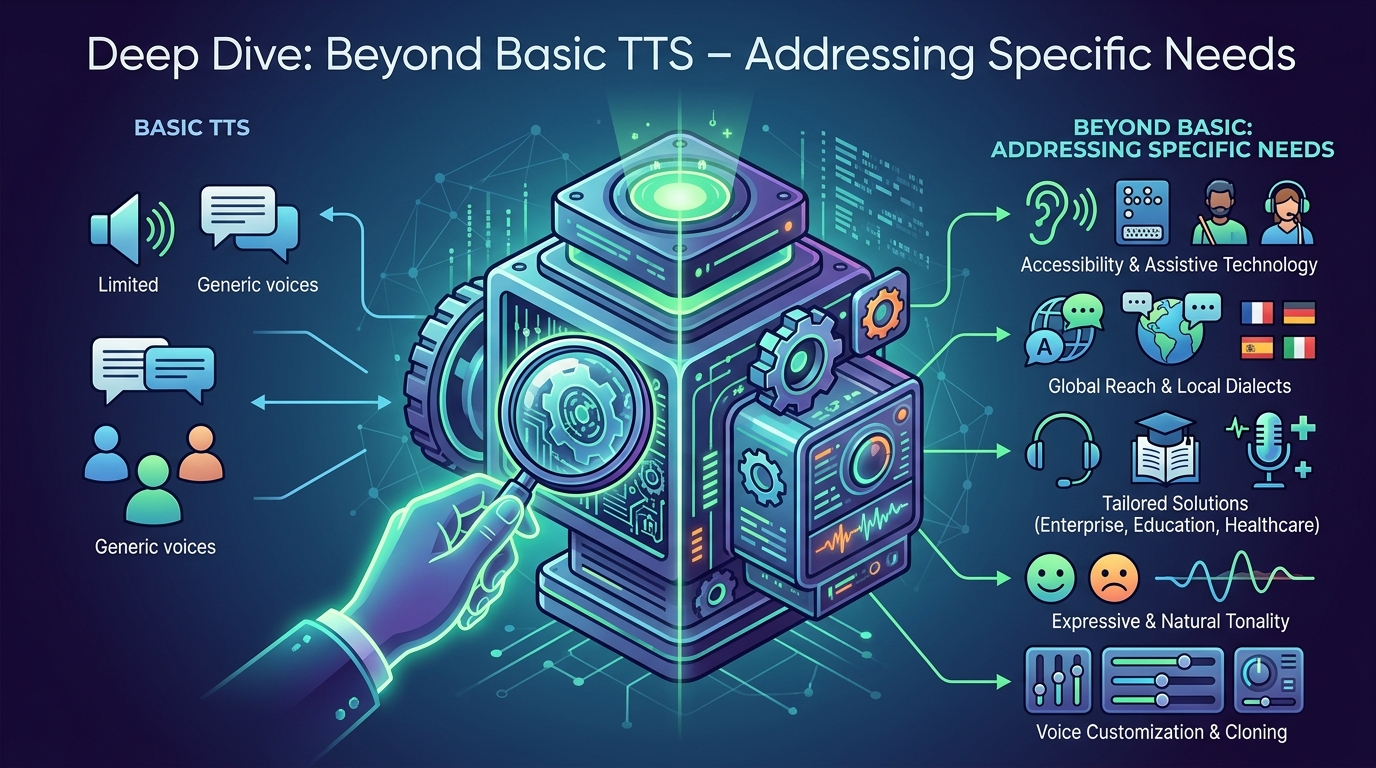
While Voxify shines as an all-encompassing solution, let’s address other common search intents for android tts apps and how the modern landscape, often led by Voxify’s innovations, caters to them.
TTS for Android Auto: Hands-Free Productivity on the Go
For many professionals and commuters, TTS for Android Auto is a non-negotiable feature. The ability to listen to documents, emails, or even web articles hands-free while driving is a significant productivity booster and safety enhancement. While Android Auto itself integrates with many audio apps, Voxify’s robust file support and superior voice quality make it the ideal companion. Imagine catching up on that crucial PDF report or diving into a novel during your commute, all with natural, engaging narration, directly streamed through your car’s infotainment system. Voxify ensures your reading doesn’t stop when you hit the road.
Android TTS API & Code: For Developers and Custom Solutions
Developers often seek information on the Android TTS API for integrating speech capabilities into their own applications. Android provides a robust framework for TTS, allowing developers to utilize system voices or integrate third-party engines. While this is crucial for custom app development, for end-users seeking a ready-to-use, feature-rich experience, apps like Voxify leverage these underlying technologies (and often integrate their own superior neural voice engines) to deliver a polished product far beyond what a basic API implementation offers. Voxify represents the pinnacle of what’s possible when advanced TTS engines are packaged into a user-centric application.
Browser Extensions vs. Integrated Web Readers
Many users look for TTS browser extensions for desktop web browsing. While these are useful, they often fall short on mobile, where a dedicated app with an integrated web reader offers a far superior experience. Voxify’s Integrated Web Reader provides a seamless, distraction-free environment for consuming online content, without the limitations or performance overhead of a browser extension. It’s optimized for mobile, ensuring consistent performance and access to all of Voxify’s advanced audio customization features, regardless of the website you’re reading.
Expert Tips: Optimizing Your TTS Experience for Peak Productivity

To truly harness the power of android tts apps and maximize your productivity, consider these expert recommendations:
- Adjust Speed for Comprehension: Don’t be afraid to experiment with the playback speed. While faster speeds can save time, find a pace that allows for optimal comprehension. Many power users find a sweet spot at 1.5x or 2.0x speed without sacrificing understanding. Voxify’s granular speed controls make this easy.
- Leverage High-Quality Voices: Always prioritize apps with natural AI voices. The cognitive load of listening to robotic speech can negate productivity gains. Voxify’s Neural TTS voices are designed to minimize this fatigue.
- Utilize Audio Customization: Take advantage of features like pitch and equalizer adjustments. Tailoring the audio output to your listening environment (e.g., boosting bass for headphones, adjusting pitch for clarity) can significantly enhance comfort and focus.
- Integrate with Your Workflow: Use TTS during traditionally “dead” times: commutes, workouts, chores, or even while performing tasks that don’t require visual focus. This transforms downtime into productive learning or leisure.
- Offline Access: For critical documents or books, ensure your chosen app supports offline reading. Voxify, by default, processes and stores audio locally, ensuring uninterrupted access even without an internet connection.
Embracing the right tts reader android app can fundamentally alter your relationship with digital text, transforming it from a source of fatigue into an endless stream of accessible knowledge and entertainment. With Voxify Read Aloud Books & TTS, you’re not just reading; you’re experiencing content in a richer, more efficient, and profoundly more enjoyable way.