Revolutionize Your Reading: The Ultimate Text-to-Speech Apps for Android in 2026 – Augmenting Your Information Consumption


In an era of relentless digital information, reading fatigue is a pervasive challenge. Professionals, students, and avid book lovers alike often find themselves overwhelmed by the sheer volume of text, struggling to keep pace while juggling multiple responsibilities. The solution isn’t to read less, but to consume smarter. Enter the sophisticated world of Text-to-Speech (TTS) apps for Android, transforming static text into dynamic, engaging audio. This shift towards AI-powered audiobooks and spoken content isn’t just a convenience; it’s a productivity superpower, offering a crucial form of accessible audio content (AAC) that augments how we learn, work, and enjoy literature.
While many basic TTS reader Android options exist, true power users demand more: natural voices, comprehensive format support, and features that integrate seamlessly into their demanding lifestyles. This guide cuts through the noise to highlight the premier solution available today.
Voxify Read Aloud Books & TTS: The Pinnacle of Android Text-to-Speech
For discerning users seeking an unparalleled audio reading experience, Voxify Read Aloud Books & TTS stands alone. Engineered for power users, this app transcends basic text-to-speech functionality, offering a holistic platform for consuming virtually any written content audibly. It’s the definitive answer for anyone searching for the best TTS app for books and beyond.
Ultra-Natural AI Voices: Beyond Robotic Monotones
The hallmark of a superior TTS experience lies in its voices. Voxify leverages cutting-edge Neural TTS technology to deliver ultra-natural AI voices that are virtually indistinguishable from human narration. Forget the robotic, monotonous tones of yesteryear; Voxify provides:
- Human-like Pronunciation and Intonation: AI voices that understand context, nuance, and emotional inflection, making long listening sessions genuinely enjoyable.
- Smart Voice Changing for Dialogues: A game-changer for fiction. Voxify intelligently assigns different voices to distinguish characters in dialogue, enhancing immersion and clarity.
- Extensive Language Support: Catering to a global audience, ensuring your content is rendered perfectly, regardless of its original language.
All-in-One Format Support: Your Entire Library, Audibly
What truly sets Voxify apart is its incredible versatility. It’s not just a PDF reader or an e-reader; it’s a universal audio converter for your entire digital library.
- Multi-Format Mastery: Seamlessly open and listen to a vast array of formats including PDF, EPUB, TXT, MOBI, and even CBZ (for comics and graphic novels). This comprehensive support means you no longer need multiple apps for different file types.
- Integrated Web Reader: Transform articles, blogs, and research papers directly from your browser into engaging audio. Simply share a link to Voxify, and it handles the rest.
- Image Reading Support (OCR/Auto-scroll): Break down barriers with advanced OCR (Optical Character Recognition) capabilities. Snap a photo of a physical document, and Voxify will read it aloud, complete with intelligent auto-scrolling.
- Robust Audio Customization: Tailor your listening experience with precision. Adjust pitch and utilize a built-in equalizer to fine-tune the audio to your preference, ensuring optimal clarity and comfort.
- Sleep Timer: For those who drift off while listening, the integrated sleep timer allows you to set a duration, preserving your place and device battery.
Voxify isn’t just a tool; it’s an intelligent companion designed to make information consumption effortless and enjoyable, particularly for those who rely on accessible audio content (AAC) for productivity and learning.
<a href="
“>🚀 DOWNLOAD VOXIFY ON GOOGLE PLAYBeyond the Basics: Addressing Diverse TTS Needs
While Voxify shines as the ultimate all-in-one solution, understanding the broader landscape of Android TTS helps contextualize its superiority.
Android Auto Integration: Your Commute, Reimagined
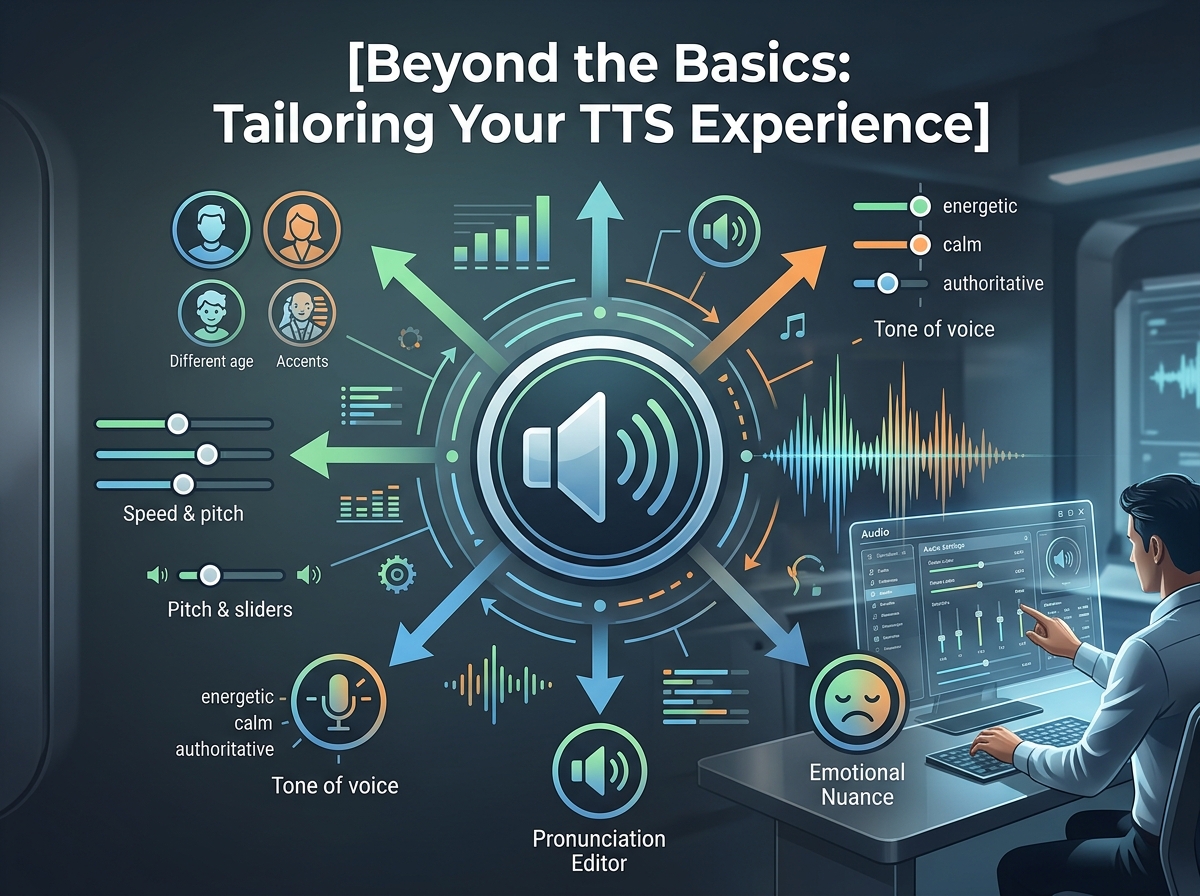
For many professionals and students, the car is an extension of their office or study space. The demand for TTS for Android Auto is high, allowing users to catch up on documents, articles, or books during commutes. While Android Auto offers basic TTS functionality for messages and navigation, dedicated apps provide a richer experience.
Voxify’s design, with its intuitive controls and robust queue management, makes it ideal for background listening. Although direct Android Auto integration for every app is limited by Google’s framework, Voxify’s ability to play content through standard audio channels means it integrates seamlessly with your car’s Bluetooth or Android Auto’s media playback, allowing you to control playback from your vehicle’s display. This ensures your natural AI voice Android experience extends effortlessly to your drive.
TTS for Developers: API & Code Considerations
Developers often seek TTS APIs for Android to integrate speech capabilities into their own applications. Android’s built-in TextToSpeech engine provides a foundational API for this. However, the quality of the voices generated by the native engine can vary. For applications requiring premium, natural AI voice Android output, developers often turn to cloud-based solutions like Google Cloud Text-to-Speech or Amazon Polly, which offer superior neural voices but require internet access and API calls.
For power users, Voxify offers the end-user benefit of these advanced neural voices without requiring any coding. It’s a consumer-ready package that leverages the best available speech synthesis technology to deliver a superior experience directly, bypassing the need for developers to build it themselves.
Browser Extensions: Web Content on the Go
Browser extensions offer a convenient way to listen to web content directly from your desktop browser. While effective on a PC, they don’t always translate perfectly to mobile. On Android, the most efficient way to convert web pages to speech is often through an app’s built-in web reader or share functionality.
This is where Voxify excels. Its Integrated Web Reader and share-to-app capability provide a far more streamlined and feature-rich experience than trying to replicate a desktop browser extension on a mobile device. You get the same ultra-natural AI voices and audio customization for web articles as you do for your local files, making it the superior choice for consuming online content audibly.
Expert Tips for Optimizing Your TTS Experience
Leveraging the full potential of a powerful TTS app like Voxify can significantly boost your productivity and enjoyment.
- Master Voice Speed: For efficient information consumption, experiment with playback speed. Start at 1.25x or 1.5x and gradually increase. Most power users can comfortably listen at 2x or even 2.5x speed without losing comprehension, effectively doubling their reading rate.
- Curate Your Voice Library: Don’t settle for the default. Voxify offers a range of natural AI voices. Explore different accents and tones to find the ones that are most pleasant and engaging for various types of content. A calm voice for novels, a more assertive one for technical documents.
- Utilize the Sleep Timer: Beyond just falling asleep, use the sleep timer for focused, timed listening sessions. It’s an excellent way to dedicate a specific block of time to a document or book without worrying about overrunning.
- Leverage Audio Customization: Don’t underestimate the pitch and equalizer settings. Adjusting these can significantly improve clarity, especially in noisy environments or with specific audio profiles.
- Offline Access: For crucial documents or books, download them within Voxify for offline listening. This ensures uninterrupted access during commutes, flights, or in areas with poor connectivity.
- Integrate into Your Workflow: Make listening a habit. Convert long emails, reports, or research papers into audio during your morning walk, gym session, or while performing routine tasks. This is the essence of augmenting information consumption – making every moment productive.
By embracing the advanced capabilities of apps like Voxify Read Aloud Books & TTS, you’re not just listening; you’re actively optimizing your cognitive intake, transforming how you interact with the written word, and taking a significant leap forward in personal productivity and accessible audio content (AAC).