The Ultimate Android TTS Guide: Unleash Natural AI Voices for Effortless Reading & Productivity


In an age of relentless digital information, the sheer volume of text can lead to significant reading fatigue. For power users, students, and professionals juggling multiple tasks, the traditional act of reading often feels like a bottleneck. This challenge has fueled a quiet revolution: the shift towards AI-powered audiobooks and text-to-speech (TTS) solutions, transforming how we consume content. No longer just a niche accessibility tool, advanced TTS is now a mainstream productivity enhancer, allowing you to absorb articles, books, and documents while commuting, exercising, or simply resting your eyes.
But not all TTS is created equal. While many platforms offer basic voice synthesis, discerning users demand more: ultra-natural voices, robust format support, and features designed for serious content consumption. This guide cuts through the noise, presenting the premier TTS reader Android users need to revolutionize their reading experience.
Voxify Read Aloud Books & TTS: The Pinnacle of Android Audio Reading
For those seeking the absolute best TTS app for books and beyond, look no further than Voxify Read Aloud Books & TTS. This application stands out as a comprehensive, intelligent solution engineered for power users across the USA, UK, and Australia, delivering an unparalleled listening experience directly to your Android device.
Ultra-Natural AI Voices: Beyond Robotic Monotones
Voxify redefines what’s possible with natural AI voice Android technology. Gone are the days of robotic, monotonous narration. Voxify leverages cutting-edge Neural TTS to produce voices that are strikingly human-like, complete with nuanced intonation, natural pacing, and regional accents that make listening a genuine pleasure.
- Human-Like Nuance: Experience voices that understand context, pausing naturally and emphasizing words just as a human narrator would.
- Smart Voice Changing for Dialogues: A game-changer for fiction lovers, Voxify intelligently assigns different voices to distinguish between characters in dialogues, making stories far more engaging and easier to follow.
- Audio Customization: Fine-tune your listening experience with granular control over pitch and an integrated equalizer, ensuring every word is delivered precisely to your preference.
Your Entire Library, Read Aloud: Unrivaled Format Support
What truly sets Voxify apart is its exceptional versatility. It’s not just a reader for a single document type; it’s your universal audio library.
- Multi-Format Mastery: Seamlessly import and listen to content across virtually any digital format, including PDF, EPUB, TXT, MOBI, and CBZ. This comprehensive support means your textbooks, novels, comics, and work documents are all instantly audible.
- Integrated Web Reader: Don’t limit yourself to stored files. Voxify includes an advanced Web Reader, allowing you to convert online articles, blog posts, and research papers into natural-sounding audio with a single tap.
- Image Reading Support (OCR/Auto-scroll): Encounter text embedded in images? Voxify’s optical character recognition (OCR) technology can extract and read it aloud, even with auto-scrolling for long images.
- Productivity Powerhouse: With a built-in Sleep Timer, you can drift off while listening, confident that playback will stop automatically.
Voxify is more than an app; it’s your personal narrator, always ready to transform your reading list into an immersive auditory journey.
<a href="
“>🚀 DOWNLOAD VOXIFY ON GOOGLE PLAYNavigating the Android TTS Landscape: Beyond Basic Functionality
While the core need for TTS is clear, power users often have specific scenarios in mind, from in-car listening to developer integrations. Understanding these contexts highlights why a dedicated, feature-rich app like Voxify is indispensable.
TTS for On-the-Go: Android Auto Integration
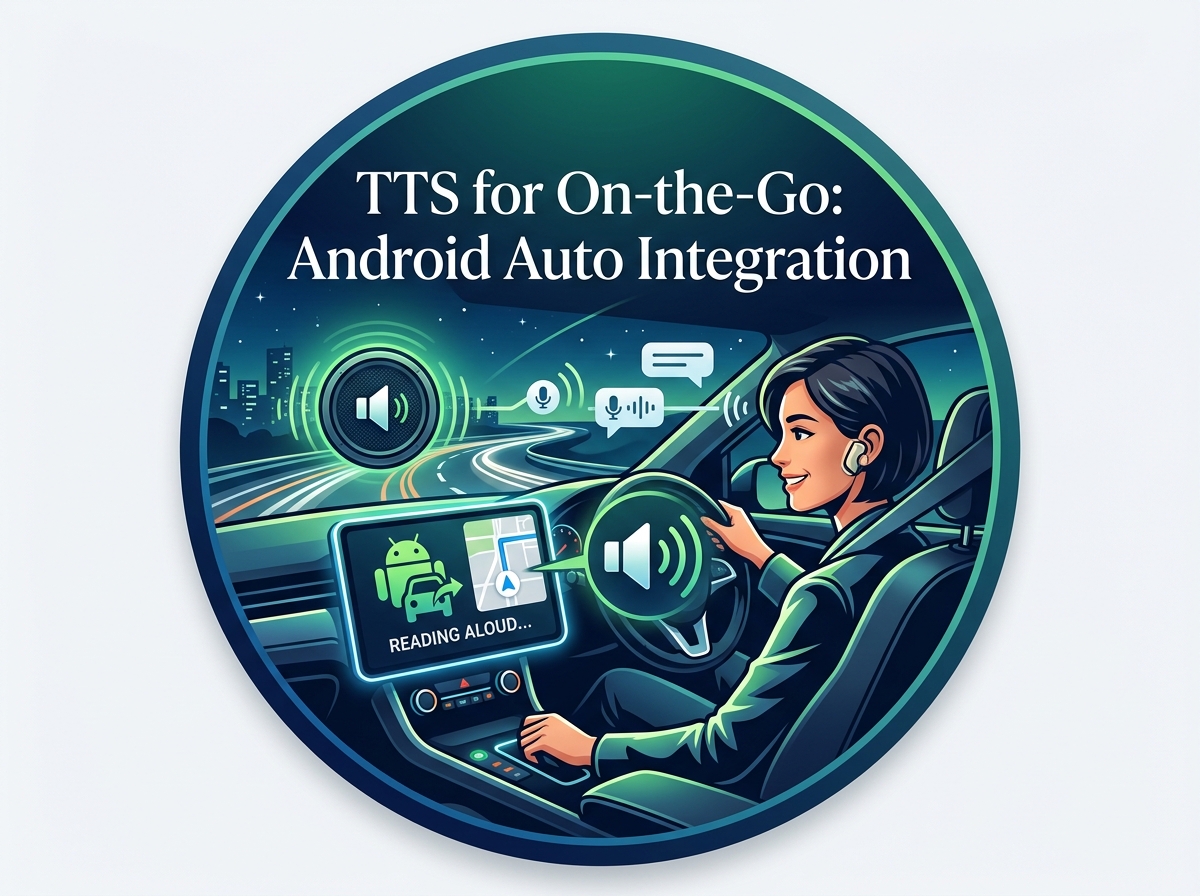
For many, the car is an extension of their mobile office or personal library. The demand for TTS for Android Auto is growing, allowing users to safely consume content during commutes. While Android Auto itself can read notifications, a robust document reader is a different beast.
Generic TTS engines might offer basic functionality, but they often lack the sophisticated playback controls, voice quality, and multi-format support required for an enjoyable experience. Voxify, with its high-quality neural voices and robust playback engine, becomes the ideal companion. Load your books or articles into Voxify, start playback, and enjoy crystal-clear narration through your car’s audio system, transforming dead time into productive learning or leisure.
Web Content & Browser Extensions: A Seamless Audio Experience
Many browsers now include basic TTS capabilities, and various extensions promise to read web pages aloud. While these can be convenient for quick reads, they often fall short in terms of voice quality, customization, and integrated library management.
Voxify’s Integrated Web Reader offers a superior alternative. Instead of relying on a browser’s often rudimentary TTS, Voxify brings its ultra-natural AI voices directly to web content. This means you get consistent, high-quality audio regardless of the source, all managed within a single, powerful application. No more juggling different tools; just a seamless transition from reading to listening.
Developers & Advanced Users: Understanding TTS APIs (And Why Apps Matter)
Developers often explore Android’s native TTS engine and APIs for custom applications. While these APIs provide the foundational technology, they offer raw voice synthesis. Tools like Clipchamp, for instance, utilize TTS for specific, often desktop-centric tasks like video narration, where the output is integrated into a larger project.
However, for a dedicated mobile reading experience, a robust application like Voxify goes far beyond basic API calls. It layers sophisticated AI algorithms, extensive format parsers, intelligent voice management for dialogues, and a user-friendly interface on top of the core TTS engine. This means you’re not just getting a synthesized voice; you’re getting an intelligent reading companion built from the ground up to deliver a superior, feature-rich mobile audio experience for documents, web pages, and books.
Elevate Your Listening: Expert Tips for Mastering Android TTS
To truly unlock the potential of your TTS experience, especially with an advanced app like Voxify, consider these expert tips:
- Optimize Playback Speed for Productivity: Experiment with different speeds. Starting slightly faster than conversational pace (e.g., 1.25x or 1.5x) can significantly boost your information intake without sacrificing comprehension. Voxify’s natural voices maintain clarity even at higher speeds.
- Leverage Voice Variety: Don’t stick to just one voice. With Voxify’s array of natural AI voices, switch between male and female narrators or different accents to keep your listening fresh, especially for long-form content or when reading different types of material.
- Utilize the Sleep Timer: For winding down with a novel or educational material, Voxify’s sleep timer is invaluable. Set it to stop playback after a certain duration, ensuring you don’t lose your place or drain your battery if you drift off.
- Curate Your Digital Library: Organize your PDFs, EPUBs, and other documents into logical folders on your device. This makes it easier to import them into Voxify and manage your audio reading queue efficiently.
- Experiment with Audio Customization: Use Voxify’s pitch control and equalizer to tailor the sound to your specific headphones or speaker setup, or simply to adjust the voice characteristics to your personal preference for maximum comfort.
By integrating a powerful TTS reader Android app like Voxify into your daily routine, you’re not just listening; you’re transforming your entire approach to information consumption. Embrace the future of reading and make every moment a learning opportunity.