The Ultimate Guide to Android TTS: Transform Your Reading Experience in 2026


In an era of relentless information flow, reading fatigue is a silent epidemic. Professionals juggle reports, students grapple with textbooks, and avid readers struggle to find time for their digital libraries. The solution? Text-to-Speech (TTS) technology, evolving from robotic voices to sophisticated AI-powered audiobooks, is revolutionizing how we consume content. It’s no longer a niche accessibility tool but a powerful productivity enhancer, allowing you to absorb articles, books, and documents while commuting, exercising, or performing other tasks.
For Android users, the landscape of TTS apps is vast, yet discerning the truly exceptional from the merely functional can be a challenge. We’ve scoured the market for solutions that deliver not just basic voice output, but an immersive, natural listening experience that truly augments your productivity and pleasure.
Featured Spotlight: Voxify Read Aloud Books & TTS – The Premier Android TTS Solution
When it comes to elevating your digital reading experience, one application consistently rises above the rest: Voxify Read Aloud Books & TTS. Designed for the discerning power user, Voxify isn’t just a tts reader android app; it’s a comprehensive audio companion for your entire digital library.
Ultra-Natural AI Voices: Beyond the Robotic Monotone
The most striking feature of Voxify is its commitment to an authentic listening experience. Forget the choppy, synthetic voices of yesteryear. Voxify leverages cutting-edge Neural TTS technology to deliver ultra-natural AI voices that are remarkably human-like. This isn’t just about clarity; it’s about nuance, intonation, and a fluid delivery that makes long listening sessions enjoyable rather than fatiguing. Imagine listening to complex articles or intricate novels, and the voice adapts, providing a rich, engaging narrative.
Furthermore, Voxify’s Smart Voice Changing for dialogues is a game-changer for fiction lovers. It intelligently assigns different voices to different characters, bringing stories to life in a way standard TTS apps simply cannot. This feature alone transforms a simple read-aloud into an immersive auditory play.
All-in-One Format Support & Seamless Integration
Many users grapple with multiple apps for different document types. Voxify eliminates this hassle with its unparalleled multi-format support. Whether your content is in PDF, EPUB, TXT, MOBI, or even CBZ (for comics and graphic novels), Voxify handles it with ease. This comprehensive compatibility makes it the best tts app for books and documents of all kinds.
Beyond local files, Voxify features an Integrated Web Reader. This means you can effortlessly convert online articles, blog posts, and web pages into audio, making it indispensable for students researching or professionals keeping up with industry news. The convenience of having all your reading material, online and offline, accessible through one intuitive interface cannot be overstated.
Other notable features that solidify Voxify’s position as the leading tts reader android app include:
- Image Reading Support (OCR/Auto-scroll): Transform images containing text into listenable content, perfect for scanned documents or screenshots.
- Audio Customization: Fine-tune your listening experience with Pitch and Equalizer adjustments.
- Sleep Timer: Ideal for winding down with an audiobook or article without worrying about battery drain.
With its robust feature set and dedication to a superior audio experience, Voxify Read Aloud Books & TTS is the definitive choice for anyone serious about optimizing their digital content consumption.
<a href="
“>🚀 DOWNLOAD VOXIFY ON GOOGLE PLAYDeep Dive: Beyond Basic TTS – Addressing Diverse Needs
While Voxify shines as an all-encompassing solution, let’s address other common search intents and how advanced TTS platforms cater to them, often with Voxify still leading the charge for the end-user.
TTS for Multitasking: Android Auto and Beyond
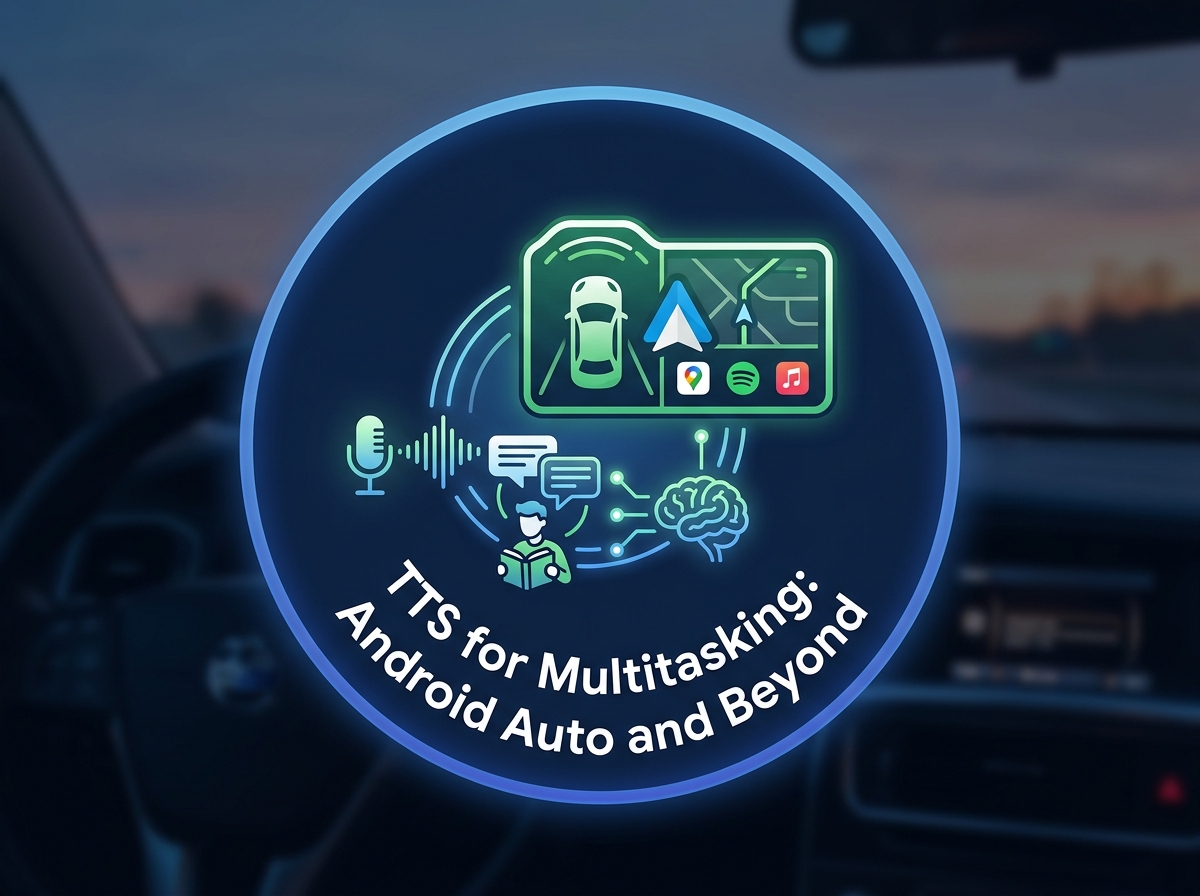
For those constantly on the move, integrating TTS with vehicle systems is paramount. While dedicated tts for android auto apps exist, the power of a robust tts reader android like Voxify means your entire library is accessible safely through your car’s display. Imagine catching up on that dense industry report or the latest chapter of your favorite novel during your commute, all with Voxify’s natural voices guiding you. Its user-friendly interface translates well to the simplified controls of Android Auto, ensuring a seamless, hands-free experience.
Browser Extensions vs. Integrated Web Readers
Many users look for browser extensions to convert web content to speech. While extensions like “Read Aloud” or “NaturalReader” offer quick browser-based solutions, they often lack the advanced features and comprehensive file support of a dedicated app. Voxify’s Integrated Web Reader provides the best of both worlds: the convenience of reading web content aloud combined with the superior voice quality, customization options, and multi-format support that a browser extension simply cannot match. For serious content consumption, an app-based solution offers greater control and a richer experience.
Understanding TTS APIs and Code for Developers
For developers, the world of TTS often involves integrating APIs (Application Programming Interfaces) into their own applications. Google Cloud Text-to-Speech, Amazon Polly, and Microsoft Azure Text to Speech are prominent examples, offering highly customizable voices, including neural ai voice android capabilities. These are the engines that power sophisticated applications like Voxify. While developers might interact directly with these APIs, end-users benefit from polished apps that harness this underlying technology, providing a user-friendly interface and feature-rich experience without needing to write a single line of code. Voxify is a prime example of an application that expertly leverages such advanced speech synthesis to deliver a premium product to its users.
Expert Tips for Optimizing Your TTS Experience
To truly unlock the potential of Text-to-Speech, consider these expert tips:
- Adjust Reading Speed for Productivity: Most TTS apps, including Voxify, allow you to control the playback speed. Experiment to find your optimal listening speed. For dense material, start slower and gradually increase. For lighter content, you might find you can comfortably process information at 1.5x or even 2x speed, significantly boosting your productivity.
- Leverage Voice Customization: Don’t settle for the default voice. In Voxify, explore different natural ai voice android options and adjust pitch and equalizer settings to find a voice that’s most comfortable and engaging for your ears. A pleasant voice can dramatically reduce listening fatigue.
- Use the Sleep Timer: For winding down with a book or an article, enable the sleep timer. This prevents the app from running all night, conserving battery and ensuring you pick up exactly where you left off.
- Organize Your Digital Library: A well-organized library within your TTS app (like Voxify’s multi-format support allows) makes it easier to navigate and find the content you want to listen to, saving valuable time.
- Integrate TTS into Your Daily Routine: Think beyond just books. Use your tts reader android for emails, long-form articles, news feeds, and even social media posts. Transform otherwise passive activities like commuting or chores into productive learning or entertainment opportunities.
By embracing the sophisticated capabilities of apps like Voxify Read Aloud Books & TTS, you’re not just listening; you’re actively transforming your relationship with digital content, making reading more accessible, enjoyable, and productive than ever before.